
There are two ways agencies usually track work. The first is WhatsApp groups and spreadsheets. You know where that leads: lost messages, missed deadlines, and "I thought someone else was doing that" conversations every Monday. The second is a full project management tool with Gantt charts, dependencies, resource allocation, and a two-week onboarding process that nobody finishes.
This template is the middle ground. Four columns. Brainstorm, Todo, Doing, Done. No sprints, no custom fields, no learning curve. You set it up in under a minute and your team starts using it the same day.
What is in this template
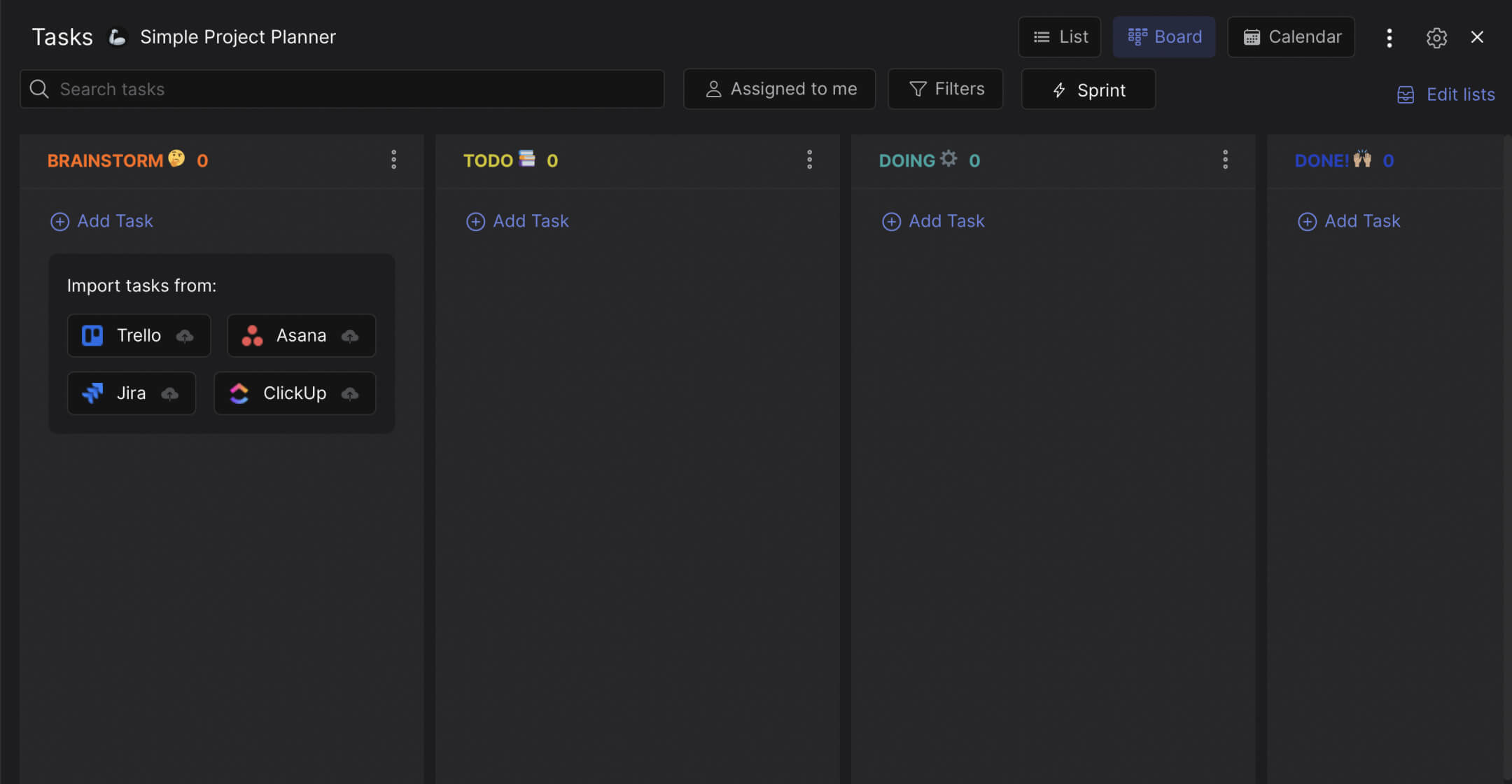
The board has four columns that cover the full lifecycle of any task or project.
Preview: Simple Project Planner
This is what the template looks like in Rock. Drag cards between columns to try it.
Drag cards between columns or add your own
Tap a card, then tap a column header
Brainstorm. The idea parking lot. Anything your team wants to work on goes here first. Each card answers three questions: Why do we want to do this? What does it involve? How do we plan to execute it? This prevents ideas from living in someone's head or getting lost in a chat thread. When an idea is ready, move it to Todo.
Todo. Work that is defined and ready to start. The brief is clear, someone is assigned, and everything needed to begin is available. This column is your team's short-term commitment. If a card sits here for more than a week without moving, it either needs to go back to Brainstorm or get assigned to someone specific.
Doing. Work in progress right now. This column should stay small. If every card on the board is "Doing," nothing is actually moving. A good rule: no more than 2-3 cards per person in this column. That forces prioritization instead of multitasking.
Done. Completed work. Moving a card here means the task is finished, delivered, and does not need follow-up. It is not "almost done" or "waiting for one thing." Done means done.
"The simplest project management approach is a to-do list. The next step up is a kanban board. Most teams never need anything beyond that." - Jason Fried, Co-founder, Basecamp
Why simple beats complex
Most project management tools fail not because they lack features, but because they have too many. According to the Asana Anatomy of Work Index, workers spend 58% of their time on "work about work": status updates, searching for information, and switching between tools. Only 33% goes to the skilled work they were hired for.
Adding a complex PM tool to that mix often makes it worse. Your team now has one more place to check, one more app to update, one more set of notifications to manage. A simple board with four columns does not add overhead. It reduces it.
What we do at Rock: the board lives in the same space where your team chats. When someone moves a card from "Doing" to "Done," the rest of the team sees it alongside the conversation about that task. No switching between Slack and Trello. No "did you update the board?" reminders. The task board and the communication happen in one place.
"Complexity is easy. Simplicity is hard. Most teams would benefit from removing features from their project management setup, not adding them." - Cal Newport, Author, Deep Work
A Gartner study found that 47% of project management software implementations fail to meet expectations. The top reason: the tool was too complex for the team's actual needs. A four-column board does not have that problem.
Who this template is for
Best for: Agencies with 5-20 people managing multiple client projects. Freelancers juggling several clients at once. Any team that currently tracks work in WhatsApp, email, or a shared spreadsheet and wants something better without a steep learning curve.
Skip this if: You need sprint planning, time tracking or dependencies between tasks. Rock has more advanced templates for those workflows. This board is intentionally simple.
Tips for getting started
Add labels for each client or project type. When your board has 15 cards across four columns, labels help you filter. "Client A" in blue, "Client B" in purple, "Internal" in orange. One glance tells you how work is distributed across clients.
Keep Brainstorm separate from Todo. The biggest mistake teams make with a simple board is dumping 30 tasks into Todo on day one. That is not a plan. That is a backlog. Use Brainstorm for ideas that need refinement. Only move cards to Todo when they are defined enough to start.
"A task board only works if the team actually uses it. The way to make that happen is to make it so simple that updating it takes less effort than not updating it." - David Allen, Author, Getting Things Done
Limit "Doing" per person. Two to three cards maximum. If someone has seven cards in "Doing," they are context-switching constantly and finishing nothing. A visible limit forces your team to finish work before starting new work.
Invite your client. In Rock, clients can join the space and see the board. They do not need to ask "what is the status?" because the board answers that question 24/7. This is especially useful for agencies where clients are in a different timezone and cannot wait for a status call.


