
Building a website for a client involves at least five disciplines: strategy, information architecture, design, development, and quality assurance. Most agencies manage each of those in a different tool. The discovery brief lives in a Google Doc. The sitemap is a PDF nobody updated after week one. Wireframes are in Figma. Development tasks are in Jira. And the launch checklist is a mental note that somebody hopefully remembers.
This template puts the entire website development process in one board. Phase-specific columns take a project from discovery through sitemap, wireframe, visual design, development, and launch. Every task, file, and conversation lives in the same space.
What is in this template
The board is organized by project phase, not by task status. Each column represents a stage of the web development process, and each card has a checklist for the specific deliverables in that stage.
Preview: Website Development Board
This is what the template looks like in Rock. Drag cards between columns to try it.
Drag cards between columns or add your own
Tap a card, then tap a column header
Discovery. Every web project starts here. Define the project scope: what type of website is this (marketing site, e-commerce, portfolio)? What are the goals? What does success look like? The discovery card has three checklist items: type of website, aims, and objectives. Get sign-off on these before anything else moves forward.
Sitemap. Map the full structure of the site before anyone opens a design tool. Research existing sitemaps if this is a redesign, outline the page hierarchy, and finalize the navigation. Three checklist items keep this focused.
Wireframe. Figure out the flow on each page. Where do users land? What action do you want them to take? How do they get from the homepage to the contact form? The wireframe card covers page flows and includes T&Cs and privacy policy layouts, which most teams forget until launch week.
Visual Design. This is where the site starts looking like a website. Six checklist items: create a visual sketch, decide on the color scheme, choose fonts, find a theme or framework, customize it to match the design, and gather all images and photos. Keeping these as explicit checklist items prevents the "I thought we agreed on blue" conversations later.
Development. Build the site. Six checklist items cover the essentials: mobile responsiveness first, then title, header, body, additional sections, and footer. The card description is clear: "Putting everything together and making sure the website is to standard."
Website Launch Checklist. This is the column that separates professional agencies from those that ship broken websites. Sixteen QA items:
- Spelling and grammar check
- Replace all placeholder text with real copy
- Verify image sizes and optimization
- Confirm contact details are correct
- Terms and conditions page exists
- Privacy policy page exists
- FAQ section is complete
- Copyright notice is current
- Test site speed
- Favicon shows on mobile bookmarks
- Responsive design on all screen sizes
- Logo links back to homepage
- All forms work and submit correctly
- Social media profile links are set
- All internal and external links work
- 404 error page is configured
Every item on this list represents a real mistake that agencies have shipped to production. The checklist exists because these things get missed when launch day pressure kicks in.
"The last 10% of a web project takes 90% of the time. That is where the launch checklist saves you." - Brad Frost, Author, Atomic Design
Why phase-based beats status-based
Most project management templates use status columns: To Do, In Progress, Done. That works for simple projects. For web development, it creates confusion. Is "design the homepage" in progress because the wireframe is done but the visual design has not started? Is "set up forms" blocked because development has not reached that section yet?
Phase-based columns solve this. A card in "Wireframe" means the wireframe work is happening. A card in "Development" means the design is approved and the build has started. The board tells you where the project is in the lifecycle, not just whether individual tasks are moving.
According to a Standish Group study, only 29% of software projects are delivered on time and on budget. The most common reasons for failure: unclear requirements, scope creep, and poor communication. A phase-based board with explicit checklists addresses all three.
What we do at Rock: the web project board lives in a space with built-in chat. When the designer finishes the color scheme and moves the card from "Visual Design" to "Development," the developer sees it alongside the conversation about brand guidelines. Files attached to the card (mockups, brand assets, reference images) stay in context. No "where did you upload that?" messages.
"Every website project fails the same way: someone assumed someone else was handling something, and nobody checked until launch day." - Rachel Andrew, Web Developer and Author
Who this template is for
Best for: Web development agencies building client websites. Freelance developers managing multiple site projects. In-house teams redesigning their company website. Works especially well when the project involves separate people for design and development who need to hand off cleanly between phases.
Skip this if: You are building a web application with complex backend logic, sprints, and continuous deployment. An agile sprint template fits that workflow better. This template is for websites with a clear start, defined phases, and a launch date.
Tips for getting started
Run the launch checklist on every project, even small ones. The 16-item QA checklist is the most valuable part of this template. Agencies that use it consistently stop shipping broken favicons, placeholder text, and dead links. Make it a rule: nothing goes live until every item is checked.
Involve the client in Discovery. The Discovery column has three items: type, aims, and goals. Share these with the client for sign-off before moving to Sitemap. This prevents the scope creep that kills web projects. "We agreed the goal was lead generation, not e-commerce. Here is the signed-off discovery card."
"A website without a launch checklist is a website with bugs you have not found yet." - Vitaly Friedman, Founder, Smashing Magazine
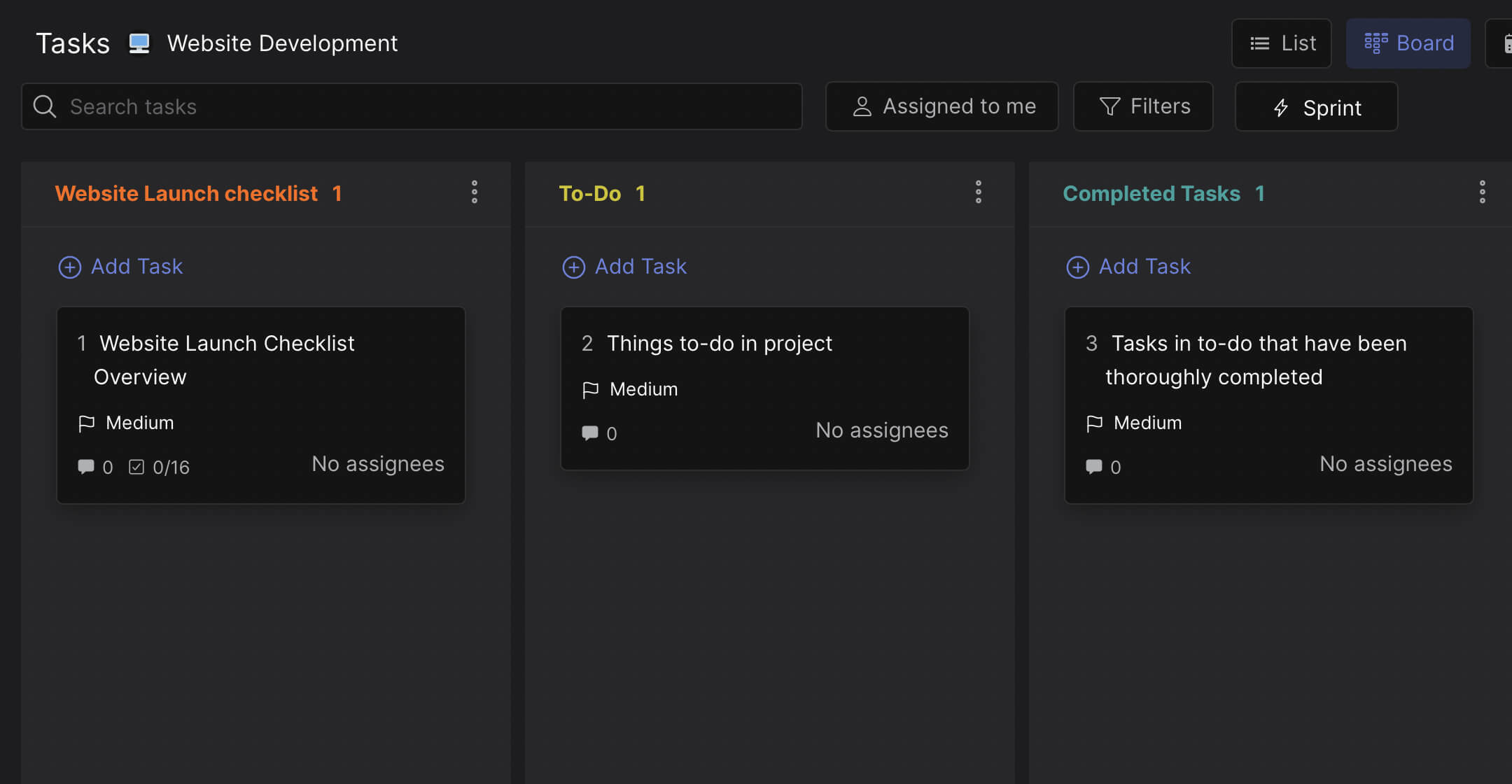
Use the To-Do and Completed columns for tasks that do not fit a specific phase. Client feedback requests, internal reviews, hosting setup, DNS configuration. These are project tasks but not design or development work. Keep them separate so the phase columns stay clean.
Add a client to the space at the start of Discovery. When clients can see the board, they understand where the project is without scheduling a status call. This is especially valuable when your client is in a different timezone and cannot join a live meeting every week.


