

The Eisenhower Matrix: Why You Keep Doing the Wrong Work First (2026)
Contents
One thing has changed since this matrix got popular. AI assistants generate more output, more suggestions, and more things that look urgent. So the real value of the matrix in 2026 is not sorting tasks faster. It is giving you a reason to say no to the pile of urgent-looking work that does not matter.
Why You Keep Choosing the Wrong Task First
You sit down to work. Your inbox has 14 unread messages. A client pinged you about a "quick update." A teammate needs feedback on a deliverable due tomorrow. And somewhere on your to-do list, buried under all of it, sits the strategy work that would actually move your business forward.
You already know which tasks you will tackle first. The loud ones win every time. That is not a willpower problem. It is a wiring problem.
In 2018, researchers at the University of Chicago published a study in the Journal of Consumer Research that named this pattern: the Mere Urgency Effect. Across five experiments, Zhu, Yang, and Hsee found that people consistently choose tasks with shorter deadlines over tasks with bigger rewards. Even when participants knew the urgent task paid less, the deadline alone was enough to grab their attention.
That finding explains a lot about how most teams actually spend their days. Research from HBR (Birkinshaw and Cohen, 2013) found that knowledge workers spend 41% of their time on low-value activities they could easily hand off or skip entirely. That is nearly half of every workweek lost to tasks that feel busy but produce very little.
"What is important is seldom urgent and what is urgent is seldom important." - Dwight D. Eisenhower
The Eisenhower Matrix exists because of this exact gap between what feels pressing and what actually matters. It is not a new idea. But the reason it keeps showing up in productivity writing is simple: the problem it solves has only gotten worse. Microsoft's 2025 Work Trend Index reports that the average employee gets interrupted every two minutes, with communication eating up 60% of the workday.
This article is not another walkthrough of four boxes. You already know how the matrix works. Instead, we are going to look at why most people fill it out correctly and still end up doing the wrong work, and what to do about it.
The Four Quadrants (and the Psychology Behind Each)
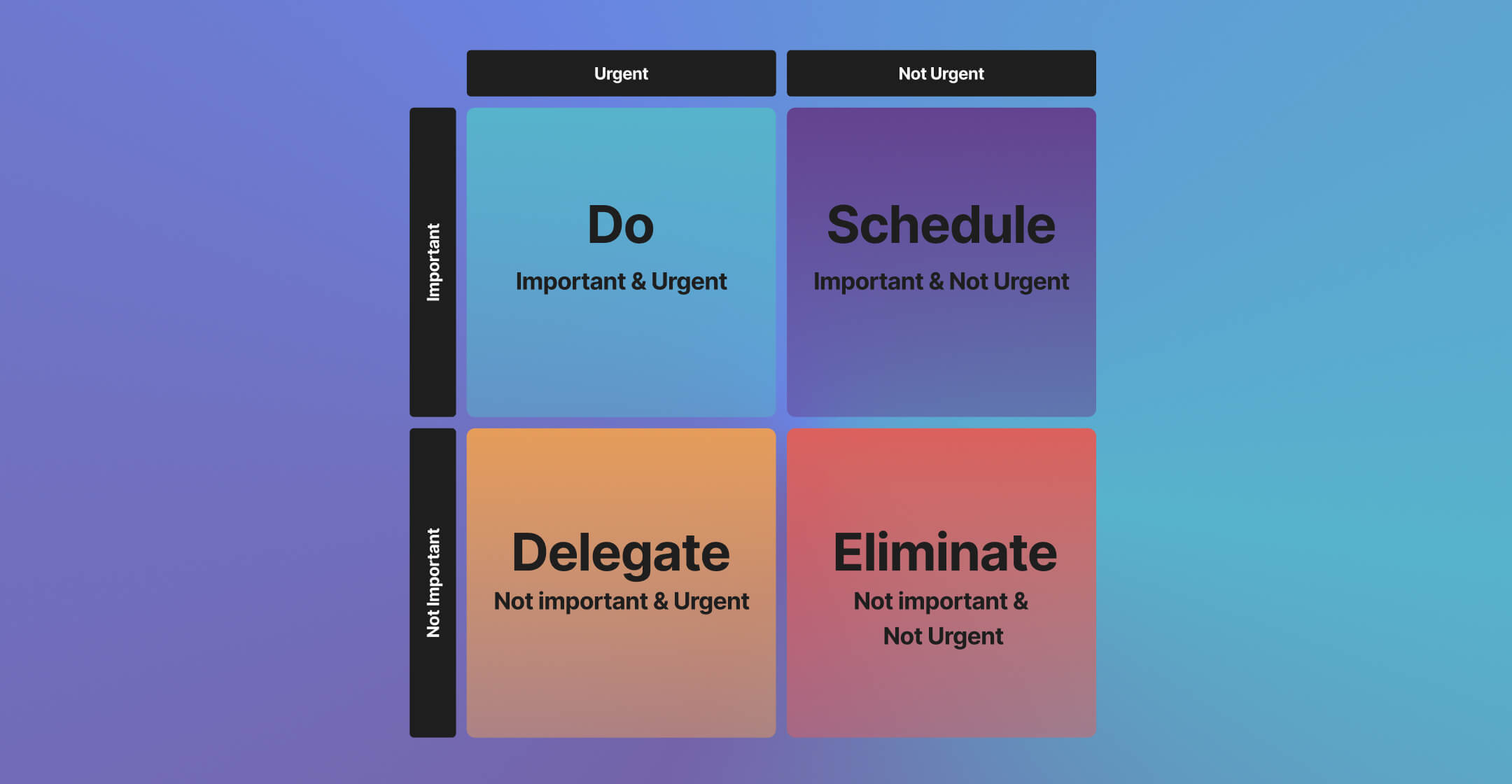
Before we get into the traps, here is a quick refresher on how the eisenhower matrix divides your work. The real value is not in the labels. It is in understanding why your brain treats each quadrant the way it does.
Urgent and Important
What it isGenuine fires. A server goes down. A client deadline is tomorrow. A team member quits mid-project.
The trapLiving here permanently. When everything feels like Q1, Q2 has been neglected. Prevention work that never happened becomes crisis work that demands all your energy.
Important but Not Urgent
What it isSOPs, team development, improving your sales process, planning your company goals. None of this screams for attention.
The trapPushed to "next week" over and over. Without a system to protect this time, Q2 evaporates while Q1 fires steal your day.
Urgent but Not Important
What it isMeetings that could be messages. The "quick question" that pulls you out of deep work for 20 minutes. Urgency borrowed from someone else's priorities.
The trapQ3 feels like Q1. The multitasking myth makes it worse, because switching costs more attention than people realize.
Not Urgent and Not Important
What it isMindless scrolling. Reorganizing files nobody accesses. Perfecting a slide deck that three people will see.
The trapComfort work feels productive. Creeps in when you are mentally tired or avoiding a harder Q2 task. Being honest about Q4 reclaims serious time.
Eisenhower Matrix
Drag tasks between quadrants to prioritize. Add, edit, or delete tasks as needed.
Why the Matrix Fails in Practice
Most people understand the matrix within five minutes. The framework is simple. The problem is that knowing the categories does not change behavior. Sorting a task into "Do First" is not the same as actually doing it, which is where an execution habit like the eat the frog method picks up. Here are three specific failure modes and how to fix each one.
| Failure mode | The fix |
|---|---|
| Everything feels urgentEvery ping, email, and "just checking in" message triggers the same stress response. Your brain cannot tell the difference between a real deadline and someone else's impatience. | The 10/10/10 testBefore reacting to a task, ask: will this matter in 10 minutes? In 10 months? In 10 years? If only "10 minutes," it belongs in Q3 or Q4, not Q1. Five seconds of friction interrupts the automatic urgency response long enough to prioritize tasks by actual impact. |
| Q2 keeps getting bumpedYou plan to spend Thursday morning on strategy. By 9:15 a.m., three things have come up and your Q2 block is gone. Q2 work has no external accountability. Nobody is chasing you for it. | Time-blocking with boundariesBlock Q2 time on your calendar like a client meeting. Treat it as non-negotiable. Make blocks visible to your team. Q3 requests that arrive during Q2 time get a response window ("I will look at this after 11 a.m."), not an immediate reaction. |
| Delegating feels slower than doing it yourselfYou can do the task in 10 minutes. Explaining it to someone else takes 20. So you just do it. Again. Until your entire week is filled with work that should not be on your plate. | Invest now, save laterEvery task you delegate has a learning curve. The first time costs extra. The second breaks even. The third saves time. When a Q3 task shows up more than twice, write a quick SOP and hand it off. |
"The word priority came into the English language in the 1400s. It was singular. It meant the very first or prior thing. Only in the 1900s did we pluralize the term and start talking about priorities." - Greg McKeown, Author of Essentialism

Real Examples by Role
Generic examples do not help you sort your own work. Here is how the matrix looks for three roles that deal with competing priorities daily.
Agency Owner Managing 5 Client Accounts
Q1 (Do): Client deliverable is late and at risk of churn. A payment issue threatens a retainer contract. A key team member is stuck and blocking two projects.
Q2 (Schedule): Building a repeatable onboarding process for new clients. Creating templates that reduce project setup from two days to two hours. Having a quarterly review with your top accounts to understand their evolving needs.
Q3 (Delegate): Responding to "quick question" emails that a project manager could handle. Attending status calls that your team lead could run. Reviewing every social media post before it goes live.
Q4 (Eliminate): Redesigning your internal dashboard for the third time. Sitting in on sales calls for services you have already documented. Checking analytics daily when weekly reviews give you the same insights.
Marketing Lead Planning Q2 Campaigns
Q1 (Do): The landing page for next week's launch has broken tracking. A paid campaign is overspending and needs to be paused. The CEO wants the board deck numbers updated before tomorrow's meeting.
Q2 (Schedule): Mapping the full Q2 campaign calendar with dependencies. Building an SEO content pipeline that will drive organic traffic in six months. Running a work effectiveness audit on your team's recurring processes.
Q3 (Delegate): Formatting the weekly performance report. Scheduling social posts for the month. Coordinating with the design team on banner sizes for an upcoming ad set.
Q4 (Eliminate): A/B testing button colors on a page that gets 50 visits a month. Attending a cross-functional sync that has no action items for marketing. Manually pulling data that could be automated with a simple integration.
Freelancer Juggling Multiple Clients
Q1 (Do): A client's website went down and you are the only one with access. A deliverable scope changed midway and the deadline did not move. An invoice is 45 days overdue and you need to follow up before it becomes a cash flow issue.
Q2 (Schedule): Building a portfolio page to attract higher-paying clients. Setting up a contract template so you stop negotiating terms from scratch. Learning a new skill that lets you offer a higher-value service.
Q3 (Delegate): Bookkeeping and expense tracking (hire a virtual assistant or use software). Minor revision rounds that a junior freelancer could handle. Scheduling and rescheduling client calls.
Q4 (Eliminate): Redesigning your logo for the fourth time. Browsing freelancer forums without a specific question. Spending an hour perfecting a proposal for a project that pays below your minimum rate.
When NOT to Use the Matrix
No framework works for every situation. Being honest about limitations is more useful than pretending the matrix is universal. For team product backlogs that need numeric scoring, RICE scoring is a better fit. Here are three scenarios where you should skip it.
- Crisis Mode If your business is in genuine survival mode, everything that keeps the lights on is Q1. Sorting tasks into four quadrants adds overhead without clarity. In a real crisis, your only question is: "What keeps us alive through next week?" The matrix becomes useful again once you have stabilized.
- Very Small Task Lists If you have five or fewer tasks for the day, you do not need a framework. You need a list. The eisenhower matrix adds the most value when you have 15+ items competing for attention and you cannot rely on gut feeling to sort them. For a light day, just pick the hardest task first and work through the rest.
- Purely Reactive Roles Some roles are designed around responding to incoming requests. Think customer support, IT helpdesk, or on-call incident response. In these roles, urgency is the job. Trying to categorize every ticket into four quadrants slows you down without adding value. A simple triage system (severity levels, response time targets) serves these roles better.
How to Set It Up in Practice with Rock
At Rock, we use our own Eisenhower matrix template inside our workspace. Here is how we set it up, and what actually makes it stick.
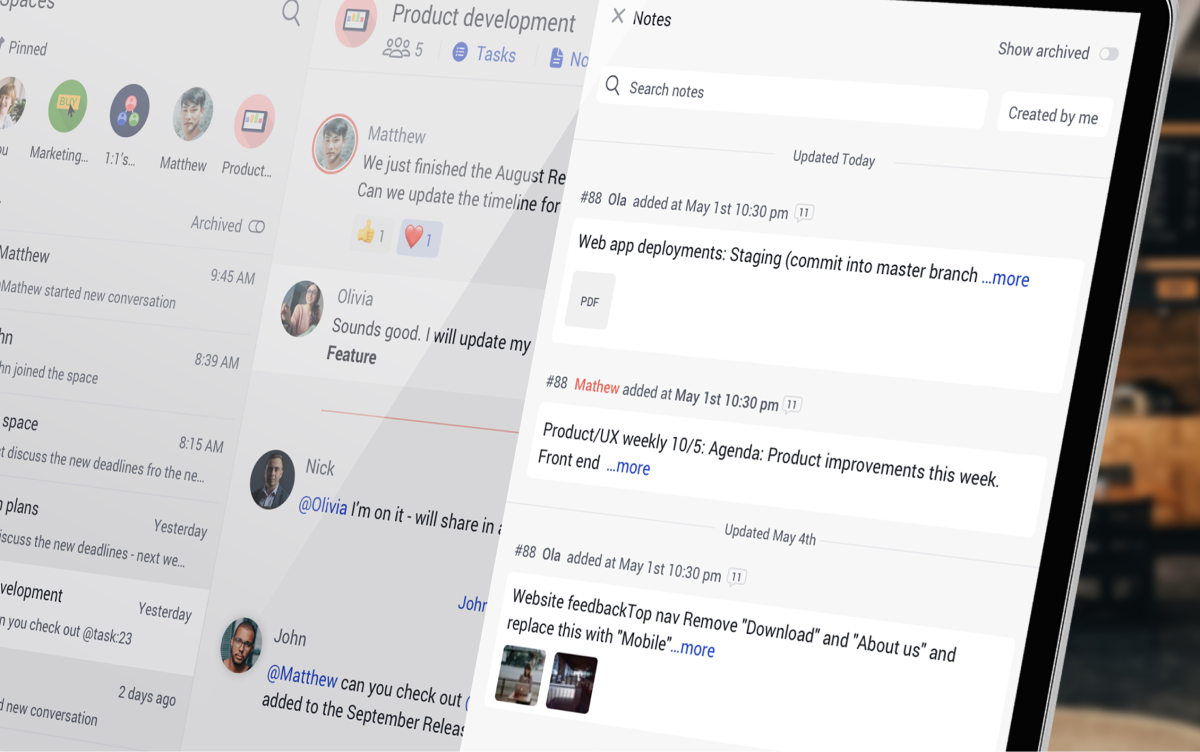
We create a task board with four columns that map directly to the quadrants: Do First, Schedule, Delegate, and Eliminate. Each task gets dropped into the right column during our Monday planning. The board lives inside the same space where our team chats, so there is no switching between apps to check priorities.
What makes this work is the combination of tasks and chat in one place. When a new request comes in through chat, we can drag it straight to the board and place it in the right quadrant. No copy-pasting between tools. No context lost. The Q3 "Delegate" column gets assigned to the right team member directly from the board, with a due date and any notes attached.
For Q2 work, we use recurring tasks with specific time blocks. Every team member has at least two Q2 blocks on their weekly schedule, and those show up on the shared calendar. When someone tries to book over a Q2 block, the calendar makes it visible, which creates a small but real friction against the "just this once" habit.
The Eliminate column is the most underrated part. We review it every two weeks and ask: are any of these tasks still showing up as requests? If so, we either automate them or create a rule that stops them from being created in the first place. Over three months, this cut our team's recurring low-value tasks by roughly 30%.
If you manage task management across multiple client projects, having each project space with its own priority board means you can see at a glance which clients have too much Q1 work (a sign that Q2 prevention is being skipped).
"In the absence of clear indicators of what it means to be productive and valuable in their jobs, many knowledge workers turn back toward an industrial indicator of productivity: doing lots of stuff in a visible manner." - Cal Newport, Georgetown Professor, Author of Deep Work
That quote captures why the eisenhower matrix matters more now than when Eisenhower first described the concept. In a world where busyness is the default measure of productivity, having a visible system that separates real work from noise is not optional. It is how you protect the work that actually grows your business.
Start Sorting Your Work Today
The matrix does not require a perfect setup. Start with a blank board, four columns, and the tasks already on your plate this week. Sort them honestly. The first time you move something from "Do First" to "Eliminate," you will feel the difference between reacting and deciding.





