

Capacity Planning: A Practical Guide for Teams
It is Wednesday morning. The senior designer is on five active campaigns. The account manager is fielding two retainer escalations. Someone in the sales meeting just promised a sixth project starts Monday. This is the gap capacity planning is built to close: matching the work that is coming to the people who can actually do it. Once you have calculated capacity, the next step is resource allocation: deciding how that capacity gets distributed across projects. Capacity planning sits underneath your marketing plan; it is what makes sure the team can actually ship what the plan promises.
This guide covers capacity planning for service teams and project teams, not factories or data centers. You will see what the discipline is, how to calculate team capacity with a worked example, healthy utilization bands by role, and the five common failure modes. The aim is honest, practical capacity discipline that does not require a $50-per-seat resource management tool.

What Is Capacity Planning?
Capacity planning, sometimes called workforce capacity planning, is the practice of matching available team hours to upcoming work. It answers one question: do we have enough of the right people, with enough time, to deliver what we have committed to? Good capacity planning produces decisions, not spreadsheets. The output is a hire, a buffer, a decline, or a renegotiated deadline.
The inputs are simple: people-time available, demand committed and probable, your time horizon, and an allocation method (hire to demand, buffer to demand, or match exactly). The hard part is being honest about each input.
It is broader than scheduling, narrower than the wider project management framework. Sitting between strategy and execution, capacity planning is the staffing layer that makes the rest of the framework feasible. Above capacity planning sits the project charter, which authorizes the work in the first place.
How to Calculate Team Capacity
The math is not complicated. The discipline is being honest about the inputs.
"An hour lost at a bottleneck is an hour out of the entire system. An hour saved at a non-bottleneck is worthless. Bottlenecks govern both throughput and inventory." - Eliyahu Goldratt, The Goal, 1984
Goldratt is right, and most calculations get this wrong from the first row. Plan team capacity in aggregate and the bottleneck role still drowns the shop. Plan the bottleneck first.
Here is a worked example for a 6-person agency. Start with gross hours: 6 people × 40 hours per week × 4 weeks = 960 hours per month. That is the number partners look at and the number that fools them.
Now subtract the non-billable tax. Internal meetings, sales support, hiring, retros, training, admin. On a typical week that runs 10 to 15 hours per person. Conservative case: 6 people × 12 hours × 4 weeks = 288 hours of unrecoverable overhead. Net: 672 hours.
Subtract PTO and slack. If the team averages two weeks of PTO across the year and the month has a holiday, plan another 30 to 60 hours out. Net: ~615 hours.
Cap utilization at 80% to leave room for revisions, escalations, and Thursday surprises. 615 × 0.80 = 492 hours of realistic monthly capacity. That is the number that should drive sales commitments. Most teams plan against 960 and discover their actual ceiling around month three of the year.
Now overlay the bottleneck. If the senior designer caps the work and they personally have 30 billable hours per week × 4 weeks × 0.80 = 96 hours, that is the throughput ceiling for any campaign that needs them. Hiring two more junior designers does not raise the ceiling. Pair-up patterns or scoping the bottleneck out of certain projects does.
Capacity vs Resource Planning vs Scheduling
These four terms get used interchangeably and they should not. Each answers a different question, on a different time horizon, with a different owner. The table compresses the difference.
| Dimension | Capacity Planning | Resource Planning | Scheduling | Demand Planning |
|---|---|---|---|---|
| Time horizon | Quarter to year | Project by project | Day to week | Quarter to year |
| Question it answers | Do we have enough people for the work coming? | Who works on what, and how much of their time? | When does each task happen? | What work is coming, and how much of it? |
| Output | Hire, buffer, or decline decisions | Per-project allocations and assignments | Calendar, deadlines, task dates | Pipeline, sales forecast, expected work |
| Owner | Ops lead or partner | PM or producer | PM or task assignee | Sales lead or owner |
| Cadence | Quarterly review, monthly check | Project kickoff and weekly reallocation | Daily, weekly stand-up | Weekly to monthly |
The practical takeaway: if your weekly meeting is called "capacity planning" but you are actually deciding who covers Tuesday's deadline, that is scheduling. If you are forecasting the next quarter's pipeline, that is demand planning. It sits in the middle and answers: given that demand and these scheduling realities, do we have enough people?
Healthy Utilization Benchmarks
Knowing your team's capacity is half the picture. Knowing what healthy utilization looks like is the other half. According to the 2025 Professional Services Maturity Benchmark from SPI Research, billable utilization across 403 services firms averaged 68.9% in 2024, below the 75% the report calls optimal. If your firm is below 68.9% you are below industry average. Above 80%, you are likely in the burnout zone.
"Attempting to maximize utilization is a self-defeating process. Optimal utilization can be achieved only by concentrating on flow." - Mary Poppendieck, Leading Lean Software Development, 2009
Poppendieck's point is the one most ops leads need to hear. A team running at 95% utilization looks great on a dashboard and falls apart in week three of any project where a client adds scope. The bands below are not aspirational targets. They are sustainable bands by role.
| Role type | Healthy utilization | What it signals |
|---|---|---|
| Production roles (designers, developers, copywriters) | 70 to 85% | Productive without burnout risk; leaves room for revisions and unplanned client requests |
| PMs and account managers | 50 to 75% | Buffer for client escalations, internal coordination, and the meetings the production team should not attend |
| Strategy and senior leadership | 40 to 60% | Time for sales, hiring, mentorship, and direction-setting; treating leaders as production capacity quietly stalls the firm |
| Whole-firm annual average | 55 to 65% | Sustainable across PTO, ramps, and the slack months; benchmarks above this band usually mean someone is hiding overtime |
Production roles need slack for revisions. PMs and account managers need much more slack than most agencies plan for, because client escalations and internal coordination are not optional. Strategy and leadership need the most slack of all because their job is the work that is not on any backlog. Treating senior people as billable production capacity is the single fastest way to slow the firm down.
Common Capacity Planning Mistakes
Five patterns show up every time the discipline stops working. They map almost perfectly onto Goldratt and Reinertsen's older arguments about flow.
"In product development, our greatest waste is not unproductive engineers, but work products sitting idle in process queues." - Don Reinertsen, The Principles of Product Development Flow, 2009
The mistake set below is what idle queues look like in agency reality.
- Planning by the calendar, not by the bottleneck role Most agencies have one role that gates everything: the senior designer, the lead developer, the head of strategy. Plan team capacity in aggregate and that one bottleneck still drowns. Goldratt is right; an hour lost at the bottleneck is an hour lost for the whole shop. Plan the bottleneck first, then everyone else.
- Treating 100% utilization as the goal A team running at 100% has zero capacity to absorb client revisions, sales calls, sick days, or the inevitable Thursday emergency. The healthy bands above are not soft targets; they are how teams stay productive without quietly racking up overtime that catches up at year end.
- No shared visibility between sales and delivery Sales sells what the calendar suggests. Delivery quietly knows the calendar is fiction. A clean project roadmap makes the calendar honest, with phases and milestones the team can actually defend. The fix is not a meeting. It is one shared view both teams check before sales commits to a kickoff date. If the spreadsheet lives on a partner's laptop, this gap will keep producing the same fight.
- Forgetting the non-billable tax Internal meetings, sales support, hiring panels, retros, training, admin. On a 40-hour week, a designer probably has 25 to 30 truly billable hours. Plan against 40 and the team is structurally over-allocated from week one. Build the non-billable tax into the formula explicitly.
- Overplanning the spreadsheet, underplanning the conversation A capacity sheet that nobody trusts is worse than no sheet at all because the team will plan around it pretending it works. The output of capacity planning is decisions: hire, buffer, decline. If the planning ritual produces a polished sheet but no decisions, the sheet is the work product, not the plan.
If your firm hits more than two of these, the next quarterly review is the moment to fix one. Picking the right one matters: solving the bottleneck-blindness mistake usually unlocks the others, because once the bottleneck role is named, the rest of the conversation has a center of gravity.
Capacity Planning Without $50-Seat Software
Most content on this topic assumes a Float, Resource Guru, or Productive subscription. Those tools are well-built, and for firms over 40 people they often pay back. For everyone else, capacity discipline can run on a board, a few custom fields, and a check-in cadence the team trusts.
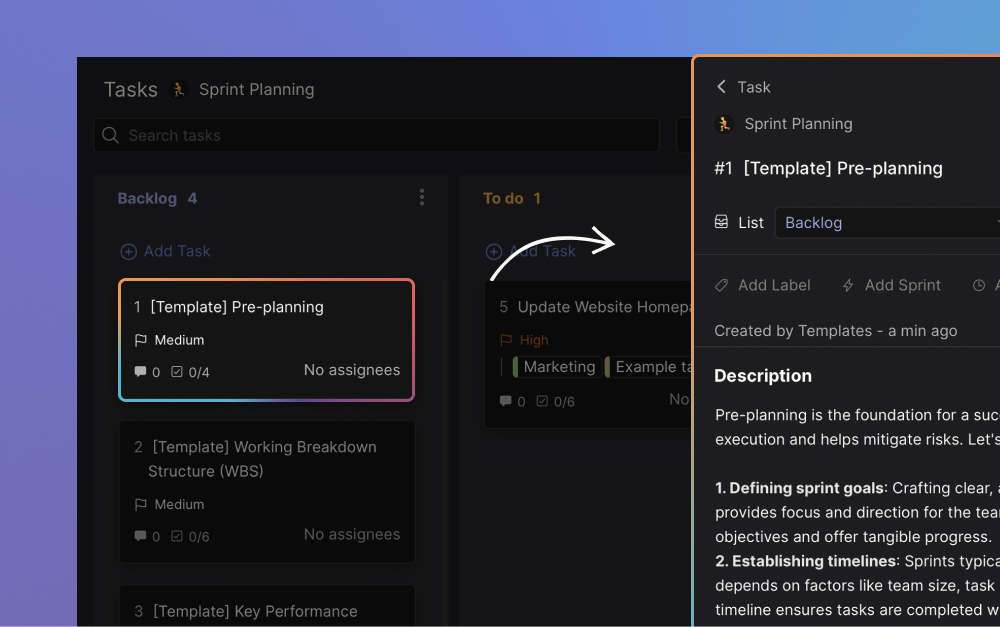
The lightweight setup looks like this. Use a Board view with WIP limits written into the column name (for example "In Progress (max 5 per person)") so the cap is visible without software enforcement.
Add an "Effort points" Custom Field to each task and sum it per assignee per cycle. Run a Sprint every two weeks so commitments are checked against actual capacity. When the backlog fills, people update their user status to "at capacity" so the AM stops pinging.
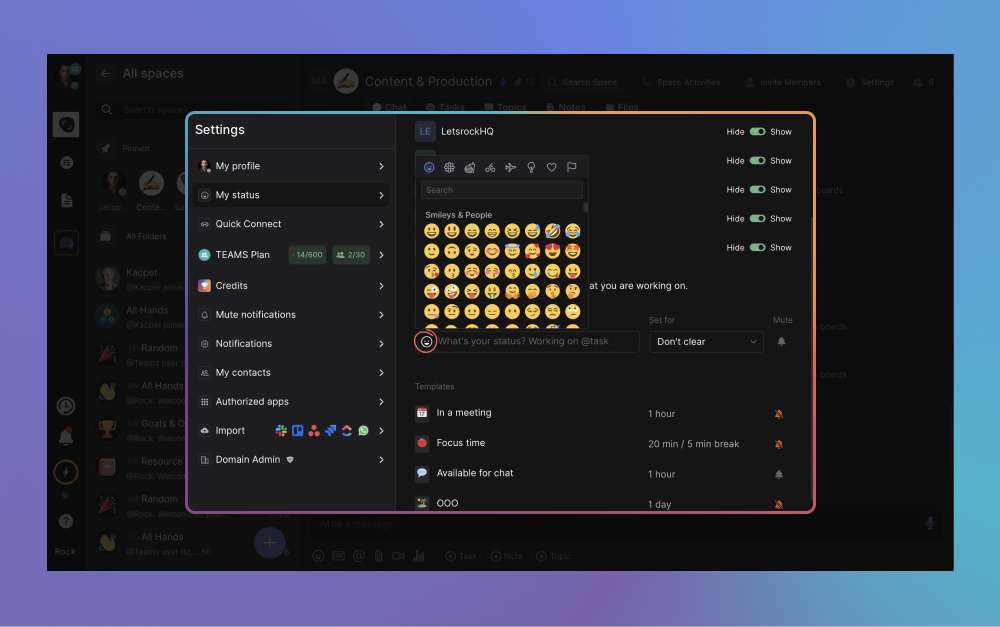
That stack is what most agencies under 30 people actually need. Track billable hours in a separate sheet or via a time tracker, then run the SPI 68.9% benchmark against your own number every quarter. The discipline is the cadence, not the software.
What We Recommend
At Rock we plan our own capacity using the stack above. One space per project, a Kanban board with WIP limits in the column names, an effort-points custom field on each task, and two-week sprints. Topics handle the async discussions about scope and priorities that would otherwise eat the daily check-in.
The management dashboard shows tasks per assignee across spaces. That is our quick sanity check before any new project gets a kickoff date.
Honest limitation: we do not auto-enforce WIP limits. The social-contract approach assumes a team that respects the agreement. For teams over 20 people, software-enforced limits and a dedicated resource management tool start to pay back; below that, the cost is more friction than the discipline saves.
The methodology is what works, not the tooling layer. Resource capacity planning sits inside the broader marketing project management and agency KPI conversations, where utilization is one of the five numbers worth tracking weekly.
Final Thoughts
It rarely fails because the math is hard. It fails because the inputs are dishonest, the bottleneck role is unnamed, and 100% utilization gets confused with productivity. Pick the bottleneck first, plan against net capacity, and use the SPI benchmark and the role-specific bands to calibrate your numbers.
The teams that improve fastest are not the ones that buy the best resource management tool. They are the ones that hold one quarterly capacity review, decide one thing, and run it for three months before changing anything. The discipline is a habit before it is a system.
Plan team capacity in the same workspace where the work happens. Rock combines chat, tasks, and notes in one workspace. One flat price, unlimited users including clients and freelancers. Get started for free.





