

Slack vs Discord (2026): Which One Fits Your Team?
Slack and Discord both started as chat apps, but they grew up on opposite sides of the room. Slack was built for offices. Discord was built for gaming. In 2026 they still overlap at the surface (channels, voice, file sharing) and diverge everywhere that matters: compliance, client work, voice culture, and pricing.
This guide covers what each tool is really built for, where the gaps honestly sit, and when picking one over the other (or neither) actually makes sense. No marketing spin.
Slack, Discord, or something else?
Answer 4 questions. Takes 30 seconds.
1. What is the primary use case?
2. How big is your team?
3. Do external people (clients, partners) need access?
4. What matters for pricing?
Start over
Slack vs Discord: Quick Comparison (2026)
Here is the side-by-side before we go deeper.
| Feature | Slack | Discord |
|---|---|---|
| Core purpose | Workplace chat + integrations | Community chat + persistent voice |
| Free plan | 90-day history limit | Unlimited members, history, voice |
| Paid entry | Pro: $7.25/user/mo | Nitro: $9.99/mo per person |
| Voice | Huddles (on-demand) | Persistent voice channels |
| File uploads | Up to 1 GB per file (Pro+) | 8 MB free, 500 MB Nitro |
| Tasks | None built in | None built in |
| Integrations | 2,600+ native apps | ~50 (mostly creator / community) |
| SSO and audit logs | Business+ and Enterprise | Not available |
| Best for | Client work, compliance, business integrations | Communities, voice-heavy teams, creators |

Want chat that handles project work?
Rock pairs messaging with tasks and notes — built for teams, not communities.
What Slack Is Really Built For
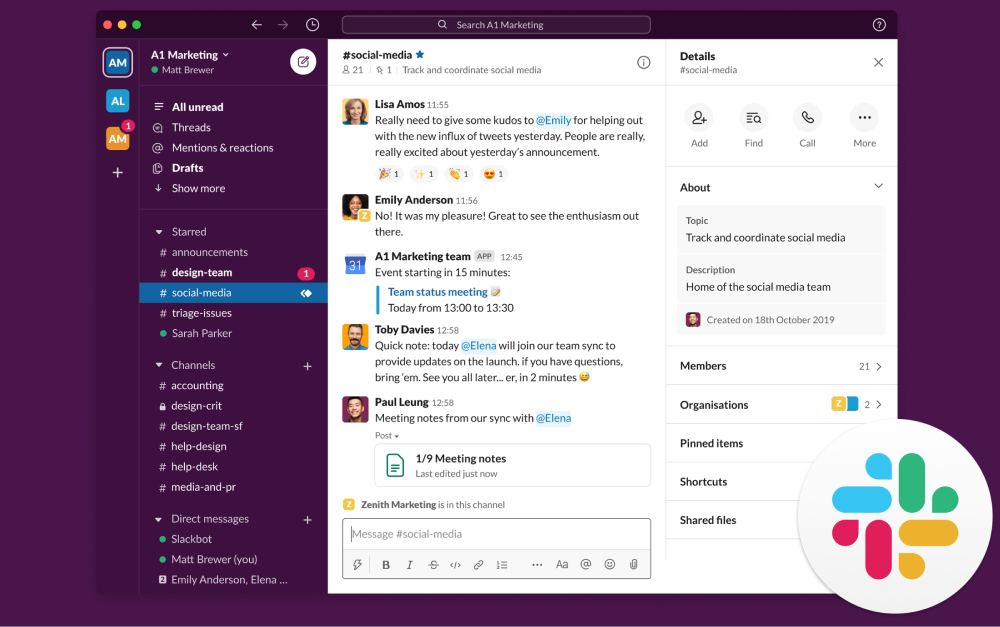
Slack was built in 2013 for workplace chat. More than a decade later, that is still its center of gravity. Channels organize conversations by project, client, or topic. Threads keep replies from cluttering the main feed. Huddles are on-demand voice rooms that start from any channel.
Around that core, Slack has added Canvas (lightweight docs inside a channel), Workflow Builder (no-code automations), and Slack AI bundled into the Business+ tier as of June 2025.
The real superpower is the integration ecosystem. Slack's App Directory lists more than 2,600 apps, including native connectors for Salesforce, Jira, GitHub, and Google Workspace. If a tool exists in your stack, Slack probably talks to it.
Slack Connect also lets you share channels with clients and partners without adding them to your workspace. For agencies and professional services, this is a genuine differentiator.
What Discord Is Really Built For
Discord launched in 2015 as a chat app for gamers. A decade later, more than 656 million people have registered accounts, and about 55% now identify as non-gamers. Communities, creators, non-profits, and some remote teams use it as their main chat tool.
The DNA is still community and voice. Discord servers hold text channels, persistent voice channels that stay open all day, video channels, and roles with fine-grained permissions. Bots run everything from moderation to onboarding flows.
The pitch for teams is simple: Discord is free for unlimited members, unlimited messages, and unlimited message history. Discord Nitro ($9.99/month per individual) unlocks HD video, larger file uploads, and custom emoji, but the team-wide experience is free.
What Discord is not: a business tool. There is no SSO on a free tier, no audit logs, no compliance features, no client workspaces, and no native integrations with business SaaS (Salesforce, Jira, GitHub, Figma). Workflows are built through third-party bots.
That gap has not stopped remote teams from adopting it. Creators, open-source maintainers, crypto and Web3 projects, non-profits, and early-stage startups often pick Discord because the free tier is unlimited and voice culture is a natural fit. For a 30-person team that hops on voice constantly, Discord can feel like a virtual office. For a 30-person team talking to enterprise clients about compliance, it cannot.

Voice, Compliance, and Integrations
Feature lists say the tools are similar. In practice, three differences shape which one fits.
Voice culture. Discord's persistent voice channels are ambient. Teammates pop in and out of a voice room all day, and conversation happens without scheduling a call. Slack Huddles are on-demand, one click from a channel. Huddles work well for quick syncs, but they are not the same as an always-on voice room. For remote teams that crave "co-working" feel, Discord wins. For teams that want quiet unless a call is needed, Slack wins.
Compliance and client work. Slack Business+ bundles SSO, SAML, audit logs, compliance exports, and data retention policies. Enterprise Grid adds DLP and HIPAA. Discord offers none of this. A company handling regulated data, client IP, or enterprise contracts cannot use Discord as a primary tool without layering workarounds.
Integrations. Slack's 2,600+ apps are direct, native, and widely supported. Discord has about 50 officially listed integrations (GitHub, YouTube, Spotify, Twitch, Bitbucket), most of which are community- or creator-oriented. Business tools like Salesforce, Jira, Asana, and Tableau do not have native Discord integrations. Teams route around this with Zapier or custom bots, but the friction is real.
Client perception. This one is uncomfortable but worth saying out loud. Clients, especially enterprise clients, still associate Discord with gaming. Sharing a Discord invite for a client workspace can undercut the professional appearance a proposal worked hard to build. Slack carries none of that baggage. For agencies and B2B service teams, perception matters even if the features would work.
"The experience of being able to search back over all your team's communications in all the different channels is super-valuable." - Stewart Butterfield, Slack co-founder, Thought Economics
Pricing in 2026
The pricing gap is the largest in this category.
Slack Free: $0. 90-day message history, one-on-one huddles only. For a growing team, the 90-day limit is a real liability. Context older than three months simply disappears.
Slack Pro: $7.25/user/month on annual billing. Unlimited history, group huddles, basic AI features.
Slack Business+: $12.50/user/month on annual billing. Adds SSO, compliance exports, and the full Slack AI suite as of June 2025.
Discord Free: $0. Unlimited members, unlimited messages, unlimited history, text and voice channels, 8 MB file upload limit.
Discord Nitro: $9.99/month per person (not per workspace). Lifts file limit to 500 MB, enables HD video, adds custom emoji. Nitro is a personal perk, not an org-wide upgrade.
At a 10-person team, Slack Pro is $870 per year. Discord is free. At a 50-person team, Slack Business+ runs $7,500 per year. Discord is still free. At 100 people on Slack Business+, that bill is $15,000 per year. Discord does not charge more at any size.
That gap is real, and for some teams it is the entire decision. For others, the hidden cost of Discord's limits (no SSO, no audit, 8 MB file uploads, unprofessional appearance to clients) outweighs the zero on the invoice. Neither side is universally right. Your compliance and client-work needs decide.
Best for: When to Pick Slack
Pick Slack if: you handle client work, you need SSO and audit logs, or your stack depends on business SaaS integrations. Pick it also if your team is 15+ and you want professional appearance alongside chat.
Skip Slack if: you are a small team on a budget, your workflow is voice-heavy, or your "team" is really a community (500 members, 5,000 members, public events). The 90-day free-tier history limit hurts growing teams, and the Pro tier gets expensive fast.
Best for: When to Pick Discord
Pick Discord if: voice is central to how your team works, with always-on rooms and co-working culture. It also fits if you run a public community, lead a creator team (streamers, Twitch, YouTube), or you are a small team whose budget is zero.
Skip Discord if: you handle regulated data, your clients would see "Discord" as unprofessional, you need SSO or audit logs, or you rely on native business integrations. Discord gets the job done for community, not compliance.
"Slack is the right tool for the wrong way to work. It optimized the haphazard approach to work that e-mail had initiated." - Cal Newport, Professor of Computer Science, Georgetown University
That third option, simply.
Rock keeps chat, tasks, and notes in one workspace. One flat price, unlimited users.
What If You Also Need Task Management?
Both Slack and Discord are chat-first. Neither includes task management, deadlines, or project tracking. Teams that pick one usually pair it with a separate PM tool (Asana, ClickUp, Trello) and accept paying for both.
If chat and tasks are equally important, a workspace that covers both fits better than stitching two tools together. Rock is one option. Each project space has chat, a task board, notes, and files in one view. Messages turn into tasks in one click. Pricing is flat at $89 per month for unlimited users, and clients join shared spaces at no extra cost.
What we do at Rock: we run every client project in one shared space with chat and tasks side by side. A message becomes a task without leaving the conversation. No context-switching between a chat app and a PM tool.
Related Reading
If this comparison narrowed your shortlist but did not close it, a few cluster reads cover the adjacent questions.
Direct Rock comparisons. See Rock vs Slack and Rock vs Discord.
Go deeper on Slack. Our honest Slack review covers pricing, trade-offs, and the 2024 Disney breach context.
More Discord alternatives. See our 10 Discord alternatives for teams for options beyond Slack and Discord.
All Slack alternatives. The 20 best Slack alternatives post covers budget, privacy, and all-in-one options.
Slack vs ClickUp. For a different angle, the Slack vs ClickUp head-to-head covers the chat-first vs work-first decision.
Broader messaging category. The best instant messaging apps for business guide covers the full category.
Here is how I come down on it after watching plenty of teams make this call. Chat tools are where conversations happen. What actually matters is whether those conversations turn into action, or just stack up as more messages to catch up on. Pick for that, not for the longer feature list.
If you are weighing Slack and Discord but want chat and tasks in one place without paying for both, Rock bundles them in one workspace. One flat price, unlimited users. Get started for free.





