

10 Best Discord Alternatives for Team Communication (2026)
We are the team behind Rock, a work chat and tasks app for teams, so we test these tools constantly. Rock is on this list, but if you need voice channels or run a community, some of the options below fit better, and we say so. We set each one up and used it for real work to see who it suits.
Discord Alternatives: Quick Comparison
Here is a side-by-side overview of all 10 tools before the details.
| Tool | Best For | Free Plan | Paid From |
|---|---|---|---|
| Rock | Chat + tasks, flat pricing | 5 spaces, 5 members | $89/mo flat |
| Slack | Integrations, threading | 90-day history | $7.25/user/mo |
| Microsoft Teams | Office 365 teams | Unlimited chat | $4/user/mo |
| Google Chat | Google Workspace | Personal Gmail | $7/user/mo |
| Pumble | Free Slack alternative | Unlimited history | $2.49/user/mo |
| Chanty | Chat + tasks, small teams | 10 members | $3/user/mo |
| Rocket.Chat | Self-hosting | 50 users (self-hosted) | $8/user/mo |
| Element | Encryption, privacy | Self-hosted (Matrix) | $5/user/mo |
| Lark | All-in-one suite | 50 users | $12/user/mo |
| Mattermost | DevOps, self-hosting | 250 users (self-hosted) | $10/user/mo |
Why Look for Discord Alternatives?
Discord is free, fast, and your team already knows how to use it. For small remote teams, especially in tech, design, or crypto, it works as an informal communication hub. Discord reports more than 90 million daily active users, and a growing share of them use it for non-gaming purposes like study groups, small team collaboration, and crypto communities.
But Discord was built for gaming communities, not professional work. There is no built-in task management, no client workspaces, no compliance features, and no time tracking. The permission system gets chaotic at scale. And for agencies serving western enterprise clients and needing proper communication strategies, a platform with gamepads on the homepage can be a hard sell.
If your team has outgrown Discord, or if you need to separate work from your personal gaming server, these 10 alternatives offer what Discord does not: structure, project management, and professional-grade team communication.
Short on time? Take the 30-second quiz to get a personalized recommendation.
Which communication tool fits your team?
Answer 4 questions. Takes 30 seconds.
1. What matters most to you?
Select all that apply
2. How many people will use it?
3. Do clients or external people need access?
4. What's your budget?
Start over

Built for work, not gaming
Rock pairs team chat with tasks, notes, and files in every project. Flat price, unlimited users.
Best Discord Alternatives for Professional Teams
1. Rock - Best for Agencies That Need Chat and Tasks Together
Rock combines team messaging with task management, notes, and file sharing in one workspace. Every project space includes chat alongside a task board, so you do not need separate tools for communication and work tracking.
Rock also connects to AI assistants like Claude and Cursor through a native MCP integration, plus an open API, so you can drive Rock from your AI tools and automate routine work. It is available on the free plan, not gated behind an upgrade.
For agencies, the standout feature is cross-organization collaboration. Clients, freelancers, and partners join your spaces directly at no extra cost. There is no guest limit and no per-seat pricing. The flat $89/month covers unlimited users, which makes scaling predictable.
Rock is simpler than ClickUp or Monday.com. You will not find Gantt charts or advanced automations. But for teams where the main problem is "we talk in one app and track work in another," having both in the same space removes the friction.
What we do at Rock: each project runs in its own space, so the chat lives next to the task board for that project. When a client asks a question in the chat, we turn it into a task with one click. Same place, no tool-switching, and the client sees the task get done.
Unlimited: $89/month flat or $74.92/month annual
2. Slack - Best for Teams That Live on Integrations
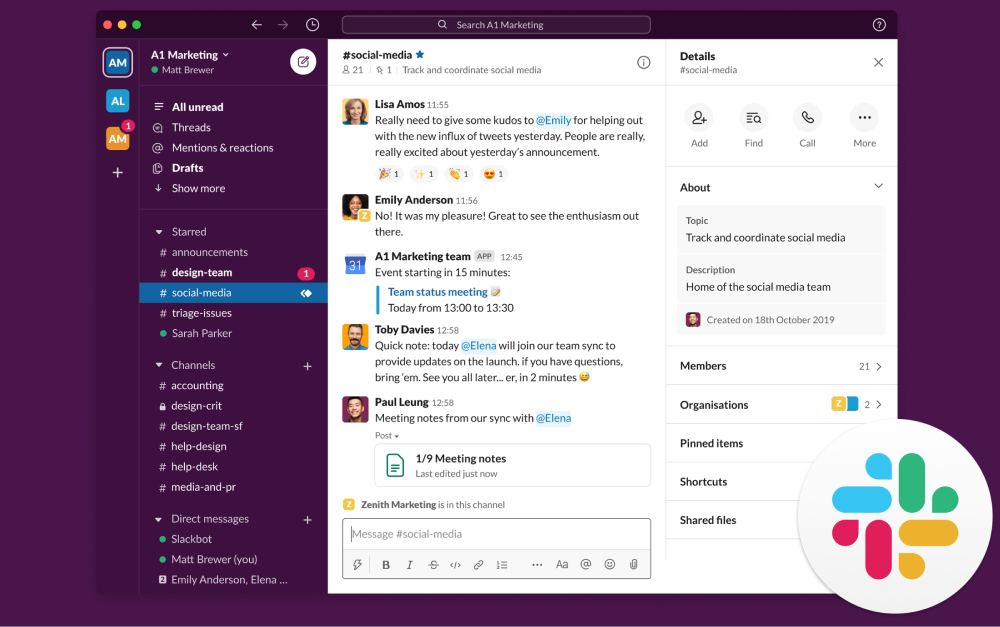
Slack is the industry standard for team messaging. Channels, threads, and powerful search make it easy to organize conversations by project, client, or topic. The real strength is the ecosystem: over 2,600 integrations connect Slack to virtually every tool your team uses.
Compared to Discord, Slack offers proper admin controls, SSO on higher tiers, audit logs, and data retention policies. Threads are more structured than Discord's reply system. The Workflow Builder lets you automate common tasks without code.
The trade-off is cost. Slack's free plan now limits message history to 90 days, and messages older than one year are permanently deleted. Pro starts at $7.25/user/month, which adds up fast for growing teams.
Pro: $7.25/user/month (annual)
Business+: $12.50/user/month
3. Microsoft Teams - Best for Office 365 Organizations
Microsoft Teams bundles chat, video meetings (up to 300 participants), and deep integration with Word, Excel, SharePoint, and OneDrive. If your agency already pays for Microsoft 365, Teams is included at no extra cost.
Teams handles enterprise needs that Discord cannot: SSO, compliance, audit logs, and DLP. The meeting experience is significantly more robust, with screen sharing, breakout rooms, and recording.
The downside is complexity. Teams is built for large organizations, and it shows. The interface can feel overwhelming for small teams, and the mobile app is heavy. If you are not already in the Microsoft ecosystem, the learning curve and setup cost are hard to justify.
Essentials: $4/user/month
M365 Business Basic: $6/user/month
4. Google Chat - Best for Google Workspace Teams
Google Chat integrates directly with Docs, Sheets, Calendar, Drive, and Meet. You can create and edit documents inside a chat thread without opening a new tab. Gemini AI summaries are built in on higher tiers.
For agencies in developing markets where Google Workspace is the default productivity suite, Chat is the natural communication layer. The interface is clean and minimal. Spaces (group conversations) support threads and file sharing.
Google Chat is not a standalone product. It is part of Google Workspace, which starts at $7/user/month. As a chat tool, it is basic compared to Slack. No workflow builder, limited bot ecosystem, and the notification system is not as granular.
Business Starter: $7/user/month (30 GB)
Standard: $14/user/month

Budget-Friendly Discord Alternatives
5. Pumble - Best Free Slack Alternative
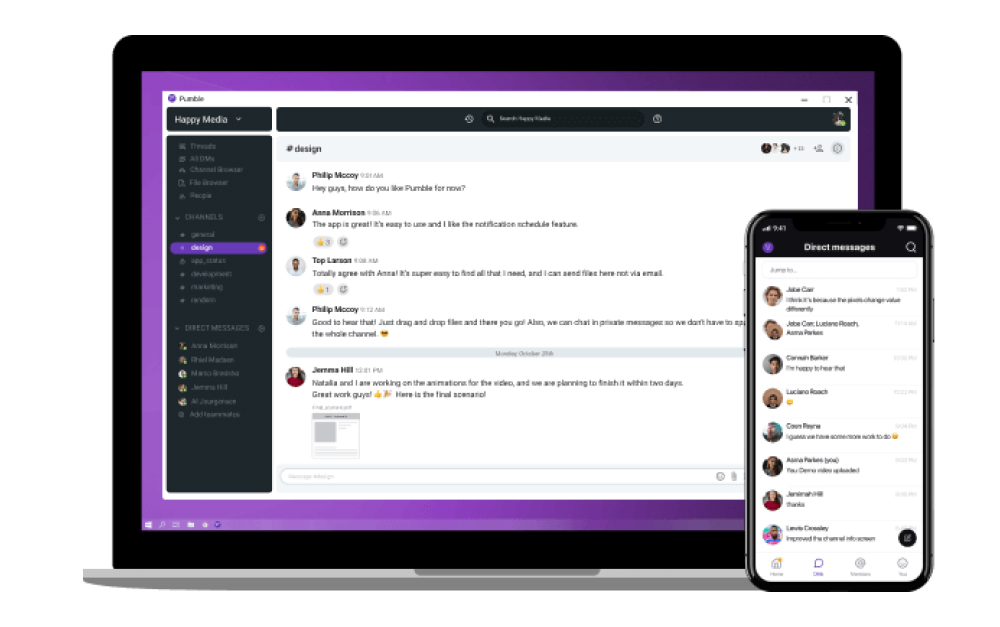
Pumble is essentially a free Slack clone with one critical advantage: unlimited message history on the free plan. Slack charges for that. Discord has search, but it is built for chat history, not for pulling up old project decisions. Pumble gives you channels, threads, direct messages, and voice/video calls without paying anything.
The free plan supports unlimited users with 10 GB of storage. Paid plans start at $2.49/user/month and add screen sharing, guest access, and integrations with Clockify (time tracking) and Plaky (project management).
Pro: $2.49/user/month
Business: $3.99/user/month
6. Chanty - Best for Small Teams Wanting Chat + Tasks
Chanty combines messaging with a built-in task board. You can turn any message into a task with one click, similar to Rock but at a lower price point. The Teambook feature acts as a centralized hub for messages, tasks, files, and links.
Audio and video calls support up to 1,000 participants on the paid plan. The free plan covers up to 10 members with unlimited chat history.
The limitation is scale. Chanty works well for teams under 20 people, but the integration ecosystem is limited and there is no API for custom workflows.
Business: $3/user/month (annual)
"Humans are simply not wired for constant digital communication." - Cal Newport, Author of Deep Work and Professor at Georgetown University
Self-Hosted and Security-Focused Alternatives
7. Rocket.Chat - Best for Self-Hosting and Data Control
Rocket.Chat is open-source and self-hosted, giving you full control over your data. For agencies handling sensitive client information or operating under data residency requirements, this matters. You can run it on your own servers or use their cloud hosting.
Features include channels, threads, end-to-end encryption, omnichannel support (live chat, WhatsApp, SMS), and white-labeling. The free self-hosted plan supports up to 50 users.
Pro: $8/user/month (51-500 users)
Enterprise: custom
8. Element - Best for End-to-End Encryption
Element runs on the Matrix protocol with end-to-end encryption by default. Every message, call, and file is encrypted. The protocol is federated, meaning you can communicate across different Matrix servers, similar to how email works across providers.
Element is gaining traction in government and public sector organizations that need encryption without vendor lock-in. Self-hosting is available at the same price as cloud.
Business: $5/user/month
Enterprise: $10/user/month
All-in-One Platforms
9. Lark - Best All-in-One Suite for Asia-Pacific Teams
Lark is a super app that bundles chat, video meetings, docs, sheets, project management, email, and workflows into one platform. It is built by ByteDance (the company behind TikTok) and is particularly popular in Asia-Pacific markets.
The free plan supports up to 50 users with generous storage. The Pro plan ($12/user/month) includes 15 TB storage and 50,000 automated workflows per month. If you want the functionality of Slack + Google Workspace + Asana in one tool, Lark comes close.
The limitation: ByteDance ownership raises data sovereignty concerns for some western clients. Lark is also less established in US and European markets.
Pro: $12/user/month
Enterprise: custom
10. Mattermost - Best for Developer and DevOps Teams
Mattermost is an open-source, self-hosted platform built specifically for technical teams. It integrates deeply with GitHub, GitLab, and Jira. Playbooks (automated incident response workflows) are a standout feature for DevOps teams.
The free plan supports up to 250 users on self-hosted infrastructure. The interface looks and feels like Slack, which eases the transition for teams moving from commercial tools.
Professional: $10/user/month
Enterprise: custom
"Async workflows make teams more inclusive and disciplined. They prevent Zoom fatigue. A positive for all firms, remote or not." - Darren Murph, Former Head of Remote at GitLab
Tools We Did Not Include (and Why)
Telegram: Popular for personal messaging and crypto communities, but no task management, no admin controls for teams, and no professional workspace features. Good for quick group chats, not for managing agency work.
WhatsApp: Similar limitations. Great for client communication in markets where everyone uses it, but no channels, no threads, no searchable history. We covered this in our Slack vs WhatsApp comparison.
Flock: Has been losing market share and feature development has slowed. Not recommended for teams investing in a long-term communication tool.
Twist (by Doist): Interesting async-first approach, but very small user base and limited integrations. Better as a philosophy than a primary tool.
Run real projects, not just chat
Rock combines messaging with task boards and notes. Built for teams and client work.
Which Discord alternative fits you
| If you want... | Best pick | Why |
|---|---|---|
| Chat + tasks, flat pricing | Rock | work chat plus tasks and notes in one, flat pricing |
| Integrations, threading | Slack | deep integrations and threaded team chat |
| Office 365 teams | Microsoft Teams | chat bundled with Office 365 |
| Google Workspace | Google Chat | chat inside Google Workspace |
| Free Slack alternative | Pumble | a free, unlimited Slack-style chat |
| Chat + tasks, small teams | Chanty | chat plus tasks for small teams |
| Self-hosting | Rocket.Chat | self-hosted team chat |
| Encryption, privacy | Element | encrypted, private chat on Matrix |
| All-in-one suite | Lark | all-in-one chat, docs, and meetings |
| DevOps, self-hosting | Mattermost | self-hosted chat for DevOps teams |
How to Choose the Right Discord Alternative
If you already use Microsoft 365: Teams is the path of least resistance. It is included in your subscription and handles chat, video, and file collaboration.
If you already use Google Workspace: Google Chat adds messaging without a new subscription. Simple, but limited as a standalone tool.
If integrations are your priority: Slack has the largest ecosystem. Nearly every tool your agency uses probably connects to it.
If budget is the top priority: Pumble offers a genuinely free Slack-like experience with unlimited history. Chanty adds basic task management for $3/user.
If you need chat and task management in one tool: Rock combines both at a flat price. No per-seat scaling, and clients join for free.
If data control matters: Rocket.Chat or Mattermost give you self-hosting. Element adds end-to-end encryption on top.
"In a hypothetical 10,000-employee company that spends $1 billion on payroll, 50% to 60% of the average employee's time is spent on communication. So you're spending $600 million. How much investment do you put into training them to be more effective communicators?" - Stewart Butterfield, Co-founder of Slack
Want to see how other messaging apps compare? Or browse Slack alternatives, Telegram alternatives, and Messenger alternatives for more options.
Considering Discord against Slack? See our Slack vs Discord head-to-head for the direct comparison.
The right communication tool keeps your team focused without adding complexity. Rock combines chat, tasks, and notes in one workspace. One flat price, unlimited users. Get started for free.





