

10 Best Telegram Alternatives for Team Communication (2026)
We are the team behind Rock, a work chat and tasks app for teams, so we test these tools constantly. Rock is on this list, but if you mainly want private messaging or big public channels, some of the options below fit better, and we say so. We set each one up and used it for real work to see who it suits.
Telegram Alternatives: Quick Comparison
Here is a side-by-side overview of all 10 tools before the details.
| Tool | Best For | Free Plan | Paid From |
|---|---|---|---|
| Rock | Chat + tasks, flat pricing | 3 spaces, 5 members | $89/mo flat |
| Slack | Integrations, threading | 90-day history | $7.25/user/mo |
| Microsoft Teams | Office 365 teams | Unlimited chat | $4/user/mo |
| Google Chat | Google Workspace | Personal Gmail | $7/user/mo |
| Pumble | Free Slack alternative | Unlimited history | $2.49/user/mo |
| Discord | Communities and voice | Unlimited members | Free (Nitro $9.99/mo) |
| Signal | Privacy-first messaging | All features free | Free (nonprofit) |
| Element | Encryption, federation | Self-hosted (Matrix) | $5/user/mo |
| Rocket.Chat | Self-hosting | 50 users (self-hosted) | $8/user/mo |
| Mattermost | DevOps, self-hosting | 250 users (self-hosted) | $10/user/mo |
Why Look for Telegram Alternatives?
Telegram is free, fast, and works across every device. For small teams in tech, crypto, or any community that outgrew WhatsApp, it feels like an upgrade. Supergroups hold hundreds of thousands of members, channels broadcast to millions, and the bot API lets you automate basic workflows.
But Telegram was built for community and personal messaging, not professional work. There is no task management, no admin controls for teams, no compliance features, and no real separation between work and personal chats. The privacy reputation is also misleading. Default Telegram chats are not end-to-end encrypted. Only Secret Chats are, and you have to enable them manually for every one-on-one conversation.
If your team uses Telegram as a work tool and needs something with real admin controls, task management, or genuine end-to-end encryption, these 10 alternatives cover the realistic options for 2026.
Short on time? Take the 30-second quiz to get a personalized recommendation.
Which Telegram alternative fits your team?
Answer 4 questions. Takes 30 seconds.
1. What matters most to you?
Select all that apply
2. How many people will use it?
3. Do clients or external people need access?
4. What's your budget?
Start over

Built for work, not personal chat
Rock gives teams chat plus tasks, notes, and files in every project. One flat price, no per-seat fees.
Best Telegram Alternatives for Professional Teams
1. Rock - Best for Agencies That Need Chat and Tasks Together
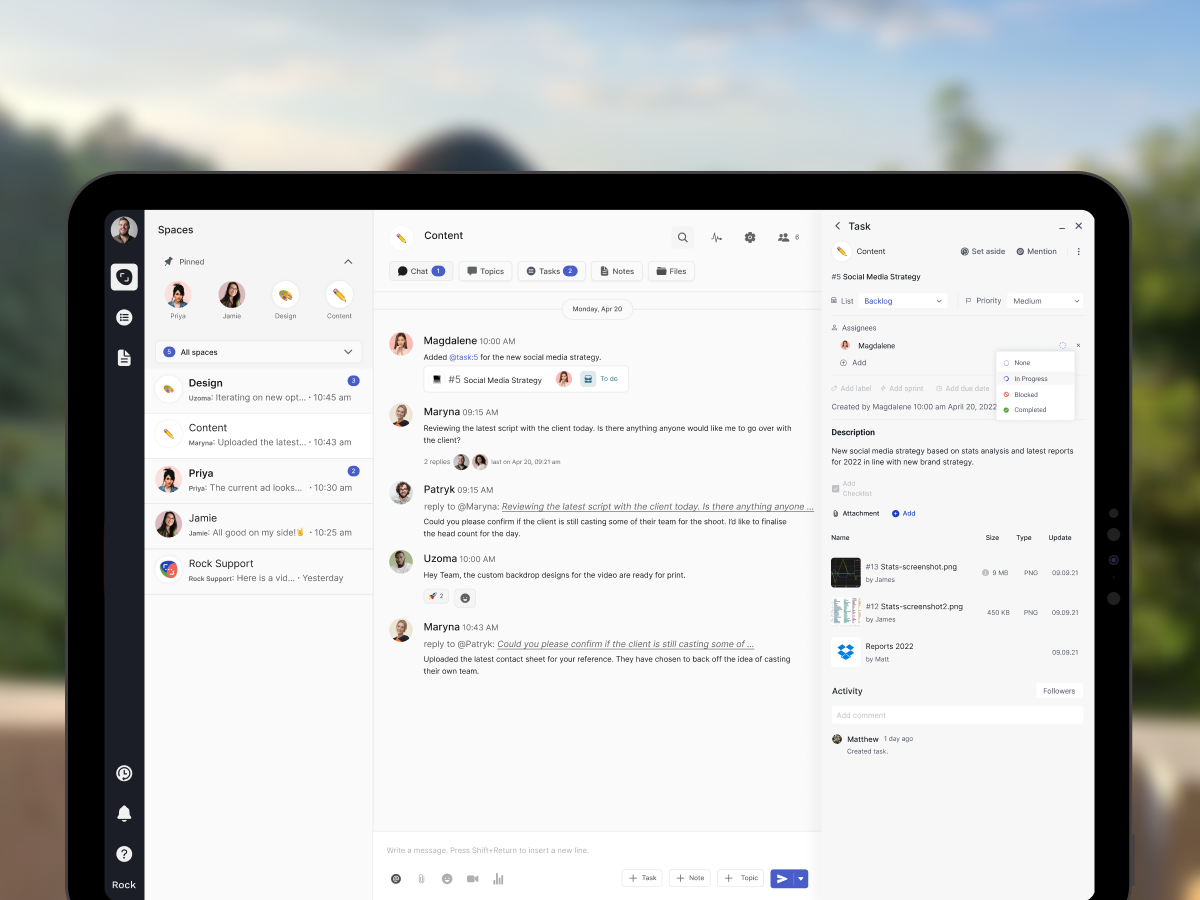
Rock combines team messaging with task management, notes, and file sharing in one workspace. Every project space includes chat alongside a task board, so you do not manage conversations in one app and work in another.
Rock also connects to AI assistants like Claude and Cursor through a native MCP integration, plus an open API, so you can drive Rock from your AI tools and automate routine work. It is available on the free plan, not gated behind an upgrade.
For agencies, the standout feature is cross-organization collaboration. Clients, freelancers, and partners join your spaces directly at no extra cost. There is no guest limit and no per-seat pricing. The flat $89/month covers unlimited users, which makes budgeting predictable as your team grows.
Rock is simpler than ClickUp or Monday.com. You will not find Gantt charts or advanced automations here. But for teams whose main problem is "we chat in one app and track work in another," having both in the same space removes real friction.
What we do at Rock: each client project runs in its own space with chat, tasks, and files in one view. When a client sends a question, we turn the message into a task with one click. No searching across two tools for where the conversation happened.
Unlimited: $89/month flat or $74.92/month annual
2. Slack - Best for Teams That Live on Integrations
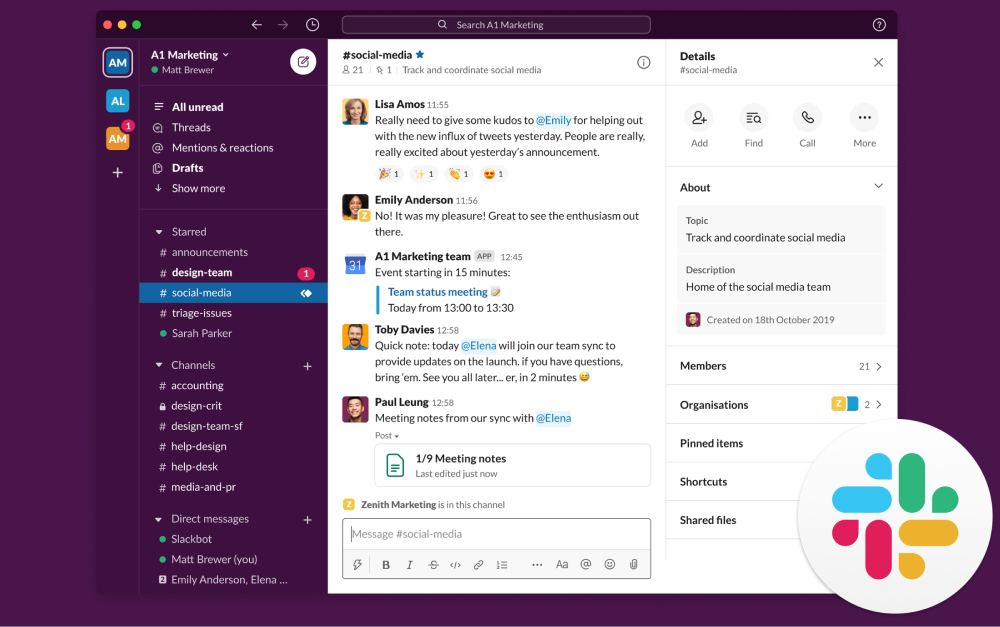
Slack is the industry standard for team messaging. Channels, threads, and search make it easy to organize conversations by project, client, or topic. The real strength is the ecosystem: more than 2,600 integrations connect Slack to virtually every tool your team already uses.
Compared to Telegram, Slack offers real admin controls, SSO on higher tiers, audit logs, and data retention policies. Threads are more structured than Telegram's reply system, and Workflow Builder lets you automate common tasks without code.
The trade-off is cost. Slack's free plan limits message history to 90 days, and Pro starts at $7.25/user/month. For a 15-person team, that is $108/month. Slack is not end-to-end encrypted either, so privacy-conscious users will still need to look elsewhere.
Pro: $7.25/user/month (annual)
Business+: $12.50/user/month
3. Microsoft Teams - Best for Office 365 Organizations
Microsoft Teams bundles chat, video meetings, and deep integration with Word, Excel, SharePoint, and OneDrive. If your agency already pays for Microsoft 365, Teams is included at no extra cost.
Teams handles enterprise needs that Telegram cannot: SSO, compliance reporting, audit logs, data loss prevention, and retention policies. The meeting experience is significantly more robust, with screen sharing, breakout rooms, recording, and live transcription.
The downside is complexity. Teams is built for large organizations, and it shows. The interface can feel overwhelming for small teams and the mobile app is heavy. If you are not already in the Microsoft ecosystem, the learning curve and setup cost are hard to justify.
Essentials: $4/user/month
M365 Business Basic: $6/user/month
4. Google Chat - Best for Google Workspace Teams
Google Chat integrates directly with Docs, Sheets, Calendar, Drive, and Meet. You can create and edit documents inside a chat thread without opening a new tab. Gemini AI summaries are built in on higher tiers.
For agencies in developing markets where Google Workspace is the default productivity suite, Chat is the natural messaging layer. The interface is clean. Spaces, which are group conversations, support threads and file sharing.
Google Chat is not a standalone product. It is part of Google Workspace, which starts at $7/user/month. As a chat tool on its own, it is basic compared to Slack: no workflow builder, limited bot ecosystem, and less granular notifications.
Business Starter: $7/user/month (30 GB)
Business Standard: $14/user/month
"The practical impact is that the vast majority of one-on-one Telegram conversations, and literally every single group chat, are probably visible on Telegram's servers." - Matthew Green, Professor of Cryptography at Johns Hopkins University
Budget-Friendly Telegram Alternatives
5. Pumble - Best Free Slack-Style Alternative
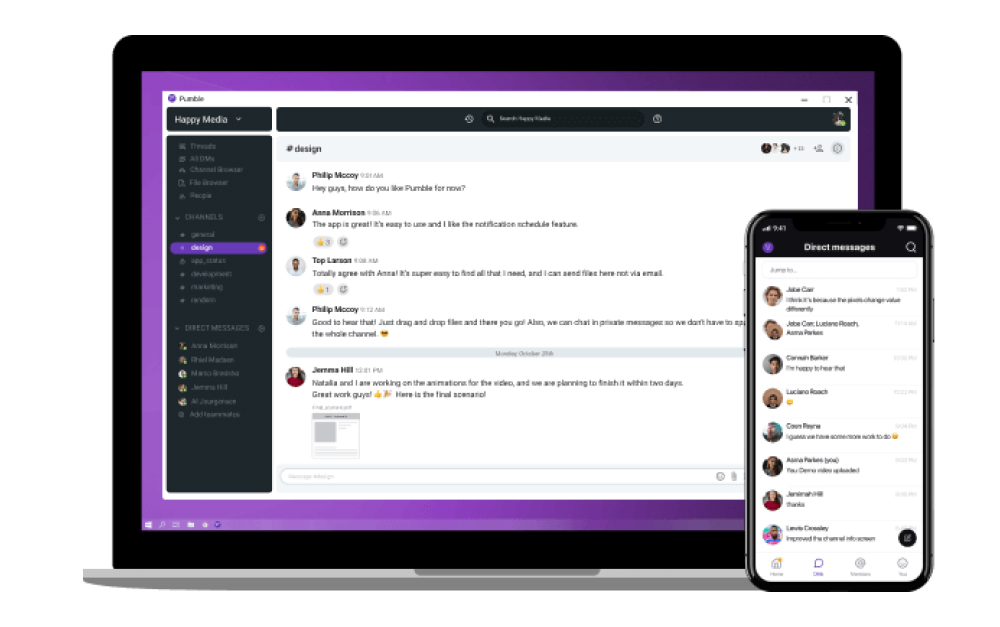
Pumble is a free Slack clone with one critical advantage: unlimited message history on the free plan. Slack charges for that. Telegram does not search message history in a work-friendly way. Pumble gives you channels, threads, direct messages, and voice or video calls without paying anything.
The free plan supports unlimited users with 10 GB of total workspace storage. Paid plans start at $2.49/user/month and add screen sharing, guest access, and integrations with Clockify for time tracking and Plaky for project management.
Pro: $2.49/user/month
Business: $3.99/user/month
6. Discord - Best for Large Communities and Voice
Discord is the closest Telegram alternative for communities. Servers, channels, roles, and always-on voice rooms map well to how Telegram supergroups and channels work, but with better moderation tools and per-channel permissions.
The free tier is generous: unlimited members, unlimited text channels, and voice channels for up to 25 participants. Discord is not built for professional work though. There is no task management, no client workspaces, and no enterprise admin features like SSO or audit logs on the free plan.
For agencies running public communities, beta tester groups, or large volunteer teams, Discord is a solid fit. For confidential client work, look at Rock, Slack, or the privacy tools below instead.
Nitro Basic: $2.99/month (individual)
Nitro: $9.99/month
Privacy-Focused Telegram Alternatives
7. Signal - Best for Privacy-First Messaging
Signal is what Telegram pretends to be. Every message, call, group chat, and file is end-to-end encrypted by default, not as an opt-in feature. The Signal Protocol is open source and powers the encryption behind WhatsApp and many others.
Signal Foundation is a nonprofit. No ads, no trackers, no investors to answer to. The app is free to use and funded by donations. For journalists, lawyers, activists, or anyone who needs genuine privacy, it is the default recommendation from security researchers.
The trade-off is that Signal is a messenger, not a workspace. There are no channels, no task management, no file versioning, and no admin console. For a team that needs private communication but still uses other tools for work, Signal sits alongside them.
8. Element - Best for Federated, Encrypted Messaging
Element runs on the Matrix protocol with end-to-end encryption by default. Every message, call, and file is encrypted. The protocol is federated, meaning your team can run its own server and still communicate with users on other Matrix servers, similar to how email works across providers.
Element is gaining traction in government and public sector organizations that need encryption without vendor lock-in. It also bridges to Slack, Teams, and WhatsApp, so you can keep one client for multiple networks. Self-hosting is available at the same price as cloud hosting.
Business: $5/user/month
Enterprise: $10/user/month
"We cannot share data in response to valid legal requests that we never had in the first place." - Signal Foundation, Government Request Disclosure
Self-Hosted and Open-Source Alternatives
9. Rocket.Chat - Best for Self-Hosting and Data Control
Rocket.Chat is open source and self-hosted, giving you full control over your data. For agencies handling sensitive client information or operating under data residency requirements, this matters more than a marketing claim. You can run it on your own servers or use their cloud hosting.
Features include channels, threads, end-to-end encryption, omnichannel support (live chat, WhatsApp, SMS), and white-labeling. The free self-hosted plan supports up to 50 users, which covers most agency teams.
Pro: $8/user/month (51-500 users)
Enterprise: custom
10. Mattermost - Best for Developer and DevOps Teams
Mattermost is an open-source, self-hosted platform built for technical teams. It integrates deeply with GitHub, GitLab, and Jira. Playbooks, which are automated incident response workflows, are a standout feature for DevOps teams running on-call rotations.
The free plan supports up to 250 users on self-hosted infrastructure. The interface looks and feels like Slack, which eases the transition for teams moving from commercial tools.
Professional: $10/user/month
Enterprise: custom
Tools We Did Not Include (and Why)
WhatsApp Business: Great for customer-facing communication in markets where everyone uses WhatsApp, but designed for customer service flows, not internal team work. No proper channels, threads, or task management. We covered this pattern in our Slack vs WhatsApp comparison.
Wire and Threema: Both are solid privacy-first messaging apps, but pricing and enterprise fit are aimed at specific niches (EU compliance, Swiss jurisdiction). For most agencies, Signal or Element cover the same ground at a lower price or for free.
Viber, Line: Strong in specific regional markets (Southeast Asia, Japan) but not designed for team workflows outside those markets.
Session, Keybase: Interesting projects, but feature development has been slow or uncertain. Not recommended for teams that need ongoing reliability.
Outgrowing a messaging app?
Rock combines team chat with project boards and notes in one workspace. Unlimited users included.
Which Telegram alternative fits you
| If you want... | Best pick | Why |
|---|---|---|
| Chat + tasks, flat pricing | Rock | work chat plus tasks and notes in one, flat pricing |
| Integrations, threading | Slack | deep integrations and threaded team chat |
| Office 365 teams | Microsoft Teams | chat bundled with Office 365 |
| Google Workspace | Google Chat | chat inside Google Workspace |
| Free Slack alternative | Pumble | a free, unlimited Slack-style chat |
| Communities and voice | Discord | communities, voice, and large groups |
| Privacy-first messaging | Signal | private end-to-end-encrypted messaging |
| Encryption, federation | Element | encrypted, federated chat on Matrix |
| Self-hosting | Rocket.Chat | self-hosted team chat |
| DevOps, self-hosting | Mattermost | self-hosted chat for DevOps teams |
How to Choose the Right Telegram Alternative
If you already use Microsoft 365: Teams is the path of least resistance. It is included in your subscription and handles chat, video, and compliance in one suite.
If you already use Google Workspace: Google Chat adds messaging without a new subscription. Simple, but limited on its own.
If integrations are your priority: Slack has the largest ecosystem. Nearly every tool your agency uses probably connects to it.
If budget is the top priority: Pumble offers a genuinely free Slack-style experience with unlimited history. Discord works for large communities at no cost.
If you need chat and task management in one tool: Rock combines both at a flat price. No per-seat scaling, and clients join for free.
If privacy is the main reason you are leaving Telegram: Signal is the consumer default, Element adds federation and self-hosting, Rocket.Chat and Mattermost cover self-hosted team messaging.
Strip the security debate back and the real question stays the same. Chat apps are where conversations happen, and a workspace is where decisions turn into work. For an agency it is less about which tool is most secure and more about which one keeps the conversations and the work in the same place.
Want to see how other messaging apps compare? Or browse Slack alternatives, Discord alternatives, and Messenger alternatives for more options.
The right communication tool keeps your team focused without adding complexity. Rock combines chat, tasks, and notes in one workspace. One flat price, unlimited users. Get started for free.





