

Task Board for Agencies: How to Organize Client Work Without the Chaos
It is Monday morning. You open WhatsApp to find 47 unread messages across six client groups. Somewhere in there is a design approval, a revision request, and a deadline that passed on Friday. But which project? Which client?
If you run a digital agency with 5 to 50 people and serve clients in different time zones, this situation probably feels familiar. Work lives in chat threads. Deadlines live in someone's head. Status updates happen in meetings that could have been a message.
A task board changes that. It gives your team one place to see what needs to happen, who is doing it, and where things stand. No scrolling through chat history. No "did you see my message?" follow-ups.
By the end of this article, you will know how it works, whether your agency actually needs one, and how to set one up in 15 minutes. You can even try building one yourself with the interactive demo below.
What Is a Task Board (and What Is It Not)?
A task board is a visual way to organize client work into columns that represent stages of progress. The most common setup has three columns: To Do, In Progress, and Done. Each task gets its own card that moves from left to right as work progresses.
The concept comes from kanban boards, first used in Toyota's manufacturing plants in the 1940s. The idea is simple: make work visible so nothing falls through the cracks.
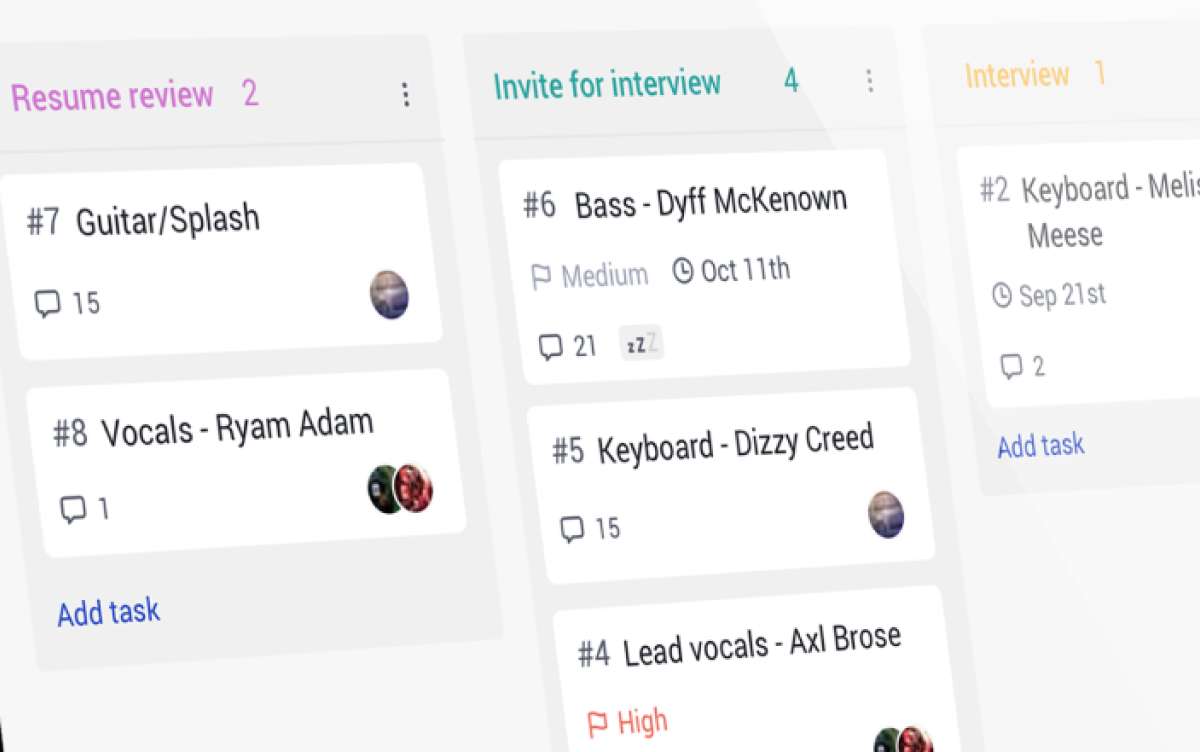
It is not a full project management suite. It is not a Gantt chart with dependencies and critical paths. It is not a spreadsheet with color-coded cells. It is the simplest useful layer of project tracking, and that simplicity is exactly why it works for agencies where not everyone is a project manager.
Best for: Teams of 5 to 50 managing multiple client projects at once. Especially useful when your team currently tracks work through chat messages or spreadsheets.
Skip this if: You work solo with one or two clients and can hold everything in your head. Adding a board adds a step you might not need yet.
The Real Cost of Not Using One
According to Asana's Anatomy of Work Index, workers spend 58% of their time on "work about work," meaning status updates, searching for information, and chasing approvals. Only 33% goes to the skilled work they were hired to do.
For an agency, that math is brutal. If your 10-person team bills at $25 per hour and each person works 160 hours a month, 58% of that time on coordination means roughly $23,200 per month goes to work that does not produce anything for clients. That is time spent asking "where is the file?", sitting in status meetings, or re-explaining what was already decided in a chat thread.
Microsoft's Work Trend Index found a similar pattern: workers spend 57% of their time communicating and only 43% creating. Harvard Business Review calls this collaboration overload, noting that time spent in collaborative activities has increased by 50% over the past decade. For an agency, creation is the product. Every hour spent on coordination instead of design, code, or copy is an hour you cannot bill.
The WhatsApp Problem
Most agencies in Southeast Asia, Africa, and Latin America start the same way: a WhatsApp group per client. It works when you have two clients and three people. It breaks when you have eight clients and fifteen people.
Here is what happens. A client sends feedback on a design at 11pm their time. Your designer in Manila sees it the next morning, buried under 30 messages about a different project. The revision sits for two days. The client follows up. Your account manager scrambles to find the original message. A meeting gets scheduled to "align." That meeting could have been avoided if the feedback was a task card on a board.
"They know how much money is coming into their business and can see the final profit figure. However, what happens in between remains a mystery." - Marcel Petitpas, CEO of Parakeeto
How It Actually Works
The core of any board is three columns:
- To Do: Tasks that are defined and ready to start. Someone is assigned, the brief is clear, and everything needed to begin is available.
- In Progress: Tasks that someone is actively working on right now. This column should never be overloaded. If every card is "in progress," nothing is actually moving.
- Done: Completed tasks. Moving a card here means the work is finished, reviewed, and delivered. Not "mostly done" or "waiting for one more thing."
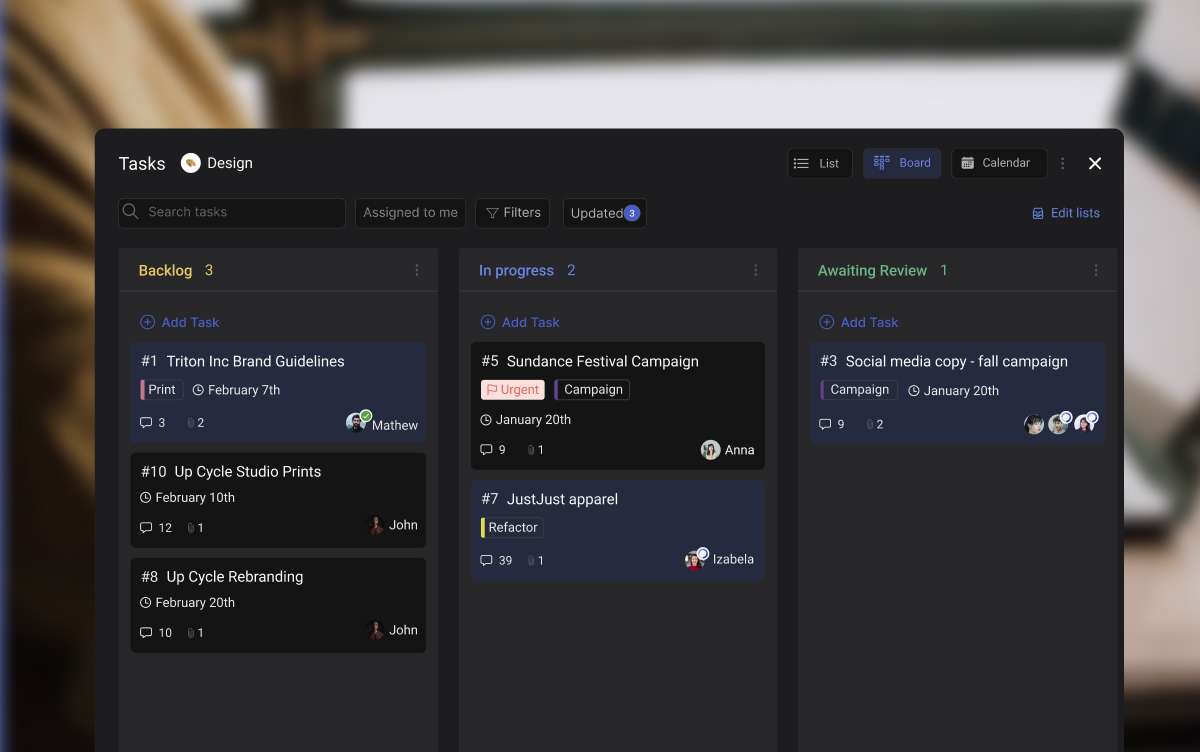
Each card on the board represents one task. A good card has a short title (under 10 words), an assignee, a label for the client or project type, and a due date. That is enough. Do not over-engineer your cards with 15 custom fields on day one.
The board becomes a snapshot of your entire project. In a three-second glance, you can see how much work is waiting, what is being worked on, and what just shipped. That is the entire point.
Beyond Three Columns: What Agencies Add
After a few weeks, most agencies add one or two columns specific to their workflow:
- Client Review: Tasks that are done on your side but waiting for client feedback. This column makes it visible when the ball is in the client's court, which is valuable when clients ask "why is this taking so long?"
- Blocked: Tasks that cannot move forward because of an external dependency. Waiting for stock photos from the client, API credentials, or brand guidelines. A "Blocked" column prevents these tasks from sitting invisibly in "In Progress."
Start with three columns. Add more only when you feel the need, not before.
The Agency Task Board Playbook: Build Yours Now
Every agency runs repeating workflows. Client onboarding follows the same steps. Content production has the same stages. The trick is turning those repeating patterns into board templates you can duplicate for each new project.
Below are five workflows that cover most agency work. Pick the one closest to what your team does and try it out. You can drag cards between columns, add your own tasks, and see how the board feels before setting one up for real.
What we do at Rock: Our content production board has five columns: Briefed, Writing, Review, Approved, Published. Each card is a blog post or social batch. We use labels to tag the content type (blog, social, email) and due dates synced to our content calendar. Draft feedback happens in task comments instead of email threads. When someone finishes a draft, they move the card to Review. No message needed. The team sees it.
"Plans are nothing; planning is everything." - Dwight D. Eisenhower, 34th President of the United States
Which Tool Fits Your Agency?
There are dozens of task management apps out there, and most of them will show you a board view. The difference is what else comes with it, what it costs, and whether your team will actually use it.
Instead of reading a comparison table, answer four questions and get a recommendation tailored to how your agency works.
Which task board fits your agency?
4 questions. 30 seconds. Get a recommendation.
1. Does your team already use a chat tool for work?
2. Do clients need to see project progress?
3. How comfortable is your team with new software?
4. How many people on your team?
Start over
Where Rock Fits (and Where It Does Not)
Rock is a good fit when you want chat and a project board in the same place, you regularly invite clients into project spaces, your team is 5 to 50 people, and you prefer flat pricing over per-seat costs. At 20 people, Rock's $89/month plan works out to $4.45 per user. Most per-seat tools cost $7 to $12 per user at that size.
Rock is not the best fit when you need advanced resource management with capacity planning, built-in time tracking with invoicing, or complex dependency mapping like Gantt charts. For those, tools like Teamwork or Productive.io are stronger. Rock keeps things simple on purpose. If your agency needs enterprise-level project controls, you will outgrow it.
Being honest about this matters. The worst tool choice is one that looks good in a demo but sits unused because it is too complex for your team.
"Most agencies often suffer from indigestion, not starvation. They are fundamentally broken in how they convert revenue into profit, and adding more work only makes the problem worse." - Marcel Petitpas, CEO of Parakeeto

Set Up Your First Board in 15 Minutes
You do not need to move your entire agency onto a new tool today. Start with one project and see if the board works for your team.
Step 1: Pick Your First Project
Choose one active client project. Not all of them. Pick the project that causes the most "where is this at?" questions. That is the one where a board will make the biggest immediate difference.
Step 2: Create Three Columns
To Do, In Progress, Done. Nothing more. You can always add columns later, but starting simple means your team has fewer decisions to make on day one.
Step 3: Add Your Tasks
Write one card per deliverable. Keep titles short. "Design homepage banner" is better than "Work on the homepage banner design for the Q2 campaign refresh." Add the person responsible and a due date. If a task does not have a clear owner, it will not get done.

Step 4: Invite Your Team (and Maybe Your Client)
Get your team on the board first. Let everyone move their own cards for a week or two. Once the habit is established, consider adding the client so they can see progress without scheduling a call to ask for updates.
Step 5: Make It a Daily Habit
Spend five minutes each morning reviewing the board. Move cards that have progressed. Flag anything blocked. This replaces your weekly status meeting. The board is the status update.
If your team uses asynchronous work across time zones, the morning board review becomes even more valuable. You see what your colleagues in a different time zone completed while you were offline, without reading through a thread of messages.
Common Mistakes to Avoid
Too many columns. Start with three. Add more only when cards pile up in one column and you need to see a finer status. Five columns is usually the max before a board becomes hard to scan.
No clear ownership. Every card needs one person responsible. "The team" is not a person. If two people share a task, pick the one who drives it forward.
Ignoring the board after setup. A board only works if people update it. Build it into your daily routine or morning standup. If cards stay in "In Progress" for two weeks, the board is not reflecting reality.
Putting everything on one board. Separate boards per client or per project. One giant board with 200 cards helps nobody. If you cannot see the full picture in a glance, the board is too crowded.
Skipping labels. Labels let you filter by client, project scope, or priority. Without them, the board is just a list with extra steps. Most agencies use one label set for client names and another for work type (design, copy, development).
A board will not fix a broken process. But it will make a working process visible. And for agencies juggling multiple clients across time zones, visibility is the difference between a team that delivers on time and a team that is always chasing.
Go back to that Monday morning scenario. Instead of opening WhatsApp to 47 unread messages, you open your task board. You see three tasks in "Client Review," two in "In Progress," and one marked "Blocked" because the client has not sent their brand assets yet. You know exactly where everything stands. No meetings needed.
If you want to try this with a tool that combines chat and boards in one place, Rock's free plan gives you everything you need to get started.





