

Zoom vs Google Meet: Which One for Your Team in 2026
If you are picking between Zoom and Google Meet in 2026, the honest answer is that neither choice is wrong. Both platforms handle video calls well. Both added AI notes and live transcription to their paid tiers. Both are used by teams of every size to run everything from 1:1 check-ins to 1,000-person all-hands.
The real question is not which is better. It is which one fits the way your team already works, your budget, and the clients you call. Zoom wins on a few specific dimensions. Google Meet wins on others. For a surprising share of teams, either one works and the wrapper around the call matters more than the call itself.
Run the three-question recommender below first. The rest of this article is the honest head-to-head on pricing, features, and what changed in 2025-2026. By the end you will know which one to pick and, more importantly, why the decision is less consequential than most comparisons suggest.
Which one fits your team?
Answer three short questions. The verdict weighs your existing stack, the kind of calls you run, and your bandwidth. No email capture, no funnel. The recommendation is genuinely based on your inputs.
Which video tool fits your team?
Three questions. Honest recommendation, not a funnel.
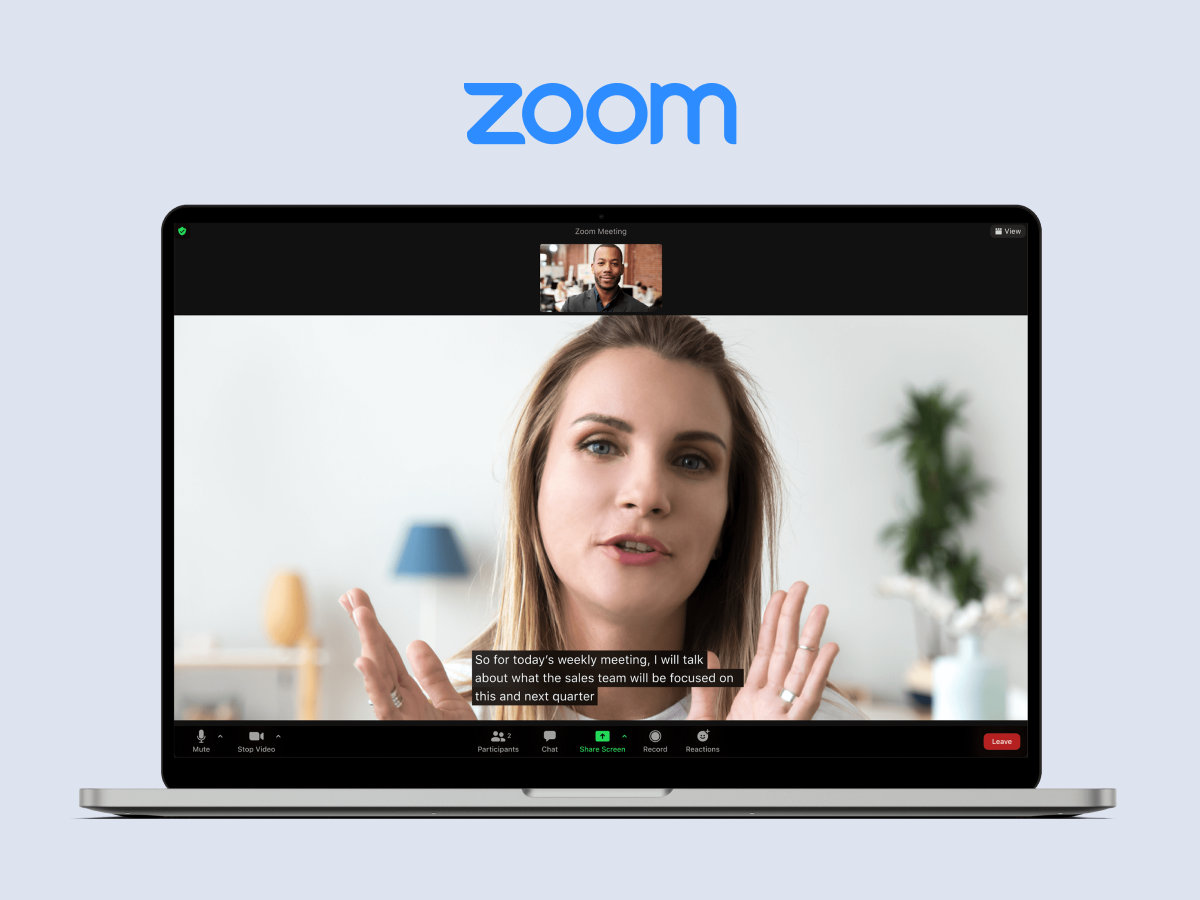
The quick verdict
Here is the head-to-head on the 13 dimensions most people actually care about. Read it once, then use it as a reference.
| Dimension | Winner | Why |
|---|---|---|
| Free tier meeting length | Google Meet | 60 min vs Zoom's 40 min on 3+ participants |
| Free tier recording | Zoom | Local recording on free; Meet has no recording on free |
| Max participants (top paid) | Tie at 1,000 | Meet edges mid-tier: 500 on Business Plus vs Zoom 300 on Business |
| Recording storage | Google Meet | 2-5 TB per user in Drive vs Zoom's 5 GB on Pro |
| Live transcription + AI notes | Close call | Zoom AI Companion free on paid tiers since 2023; Gemini note-taking default-on in Meet since Feb 2026 |
| Breakout rooms, polls, whiteboard | Zoom | Deeper tools: quizzes, annotations, richer whiteboard |
| External guest join experience | Google Meet | Browser-only join, one-click calendar link, works on low-power devices |
| Integrations ecosystem | Zoom | Larger Zoom App Marketplace, wider Zapier coverage |
| SSO and admin | Google Meet | Cleaner admin console; Zoom SSO gated behind Business tier |
| End-to-end encryption | Zoom | E2EE on free and paid up to 200 participants; Meet client-side encryption is Enterprise only |
| Bandwidth resilience | Zoom | Adaptive bitrate and low-light polish are meaningfully better on shaky connections |
| Calendar and scheduling | Google Meet | Native in Google Calendar; Zoom needs a scheduler add-on |
| Mobile app maturity | Zoom | Native mobile is thicker; Meet mobile is fine but lighter |
A few patterns pop out. Zoom is the feature leader. Google Meet is the ecosystem leader. Meet wins on anything tied to the Google Workspace stack, which includes calendar, recording storage, and external-guest UX. Zoom wins on the parts that matter for heavier meetings: webinars, breakout rooms, polls, and mobile polish. Both are good enough for internal team calls that the dimension-by-dimension comparison misses the bigger picture.
Pricing in 2026
Pricing shifted meaningfully in 2025. Google bundled Gemini into all Workspace tiers in January, dropping what had been a $20 to $30 per user add-on. Zoom has included AI Companion at no extra cost on paid tiers since September 2023. Both moves mean you are not paying for AI twice in 2026, and the base tier comparison is simpler than it looked two years ago.
| Tier | Zoom Workplace | Google Workspace (Meet) |
|---|---|---|
| Free | 100 participants, 40-min cap on 3+ people, unlimited 1:1 (30h) | 100 participants, 60-min cap on 3+ people |
| Entry paid | Pro: $13.33/user/mo (annual). 30h meetings, AI Companion included | Business Starter: $7/user/mo. 100 participants, no recording |
| Mid paid | Business: $18.33/user/mo. 300 participants, SSO, managed domains | Business Standard: $14/user/mo. 150 participants, recording, Gemini bundled |
| Top paid | Business Plus: ~$22.49/user/mo (bundled with Zoom Phone) | Business Plus: $22/user/mo. 500 participants, attendance tracking, 5 TB/user |
| Enterprise | Custom. Up to 1,000 participants, unlimited cloud recording | Custom. Up to 1,000 participants, client-side encryption, 5 TB pooled |
| AI included? | Yes, Zoom AI Companion on all paid tiers at no extra cost since 2023 | Yes, Gemini bundled into all tiers since January 2025 |
A practical read on the numbers: if your team is 15 people and you are already a Workspace shop, Google Meet's effective cost for video is zero. You are paying for the Workspace bundle either way. Zoom Pro for the same 15 people runs about $200 a month, though that buys recording, breakout rooms, and a deeper feature set. For teams not on Workspace, the delta between Zoom Pro and Workspace Business Standard shrinks to a few dollars per user per month. At that point you are picking on fit, not price.
One watch-out. Zoom's pricing history includes frequent promotions and discounts that you only see by talking to sales. If you are buying 25 or more seats, it is worth a negotiation call before you auto-renew. Google's pricing is usually closer to the sticker on the site.
Where each one genuinely wins
Rather than repeat the table, here is the prose version of where each platform earns the seat.
Zoom wins on webinars and workshops. If you run structured external events where the experience needs to feel polished, Zoom's breakout rooms, polls, quizzes, and webinar features are deeper and more reliable than Google Meet's. The mobile app is also the best in the category. People on phones, in Ubers, or on shaky airport Wi-Fi will notice.
Zoom wins on shaky connections. The adaptive bitrate and low-light polish make a measurable difference if your team is spread across countries with patchy bandwidth. We have seen this hold up in real conditions across Southeast Asia and Latin America. Google Meet is not bad on poor connections, but Zoom has had more years to optimize for the worst case.
Zoom wins on end-to-end encryption availability. Zoom's E2EE is available on the free tier and paid tiers up to 200 participants. Google Meet's client-side encryption is gated behind the Enterprise Plus and Education Standard tiers, which most small and mid-sized teams do not buy. If E2EE is a dealbreaker for your clients, Zoom is the easier answer.
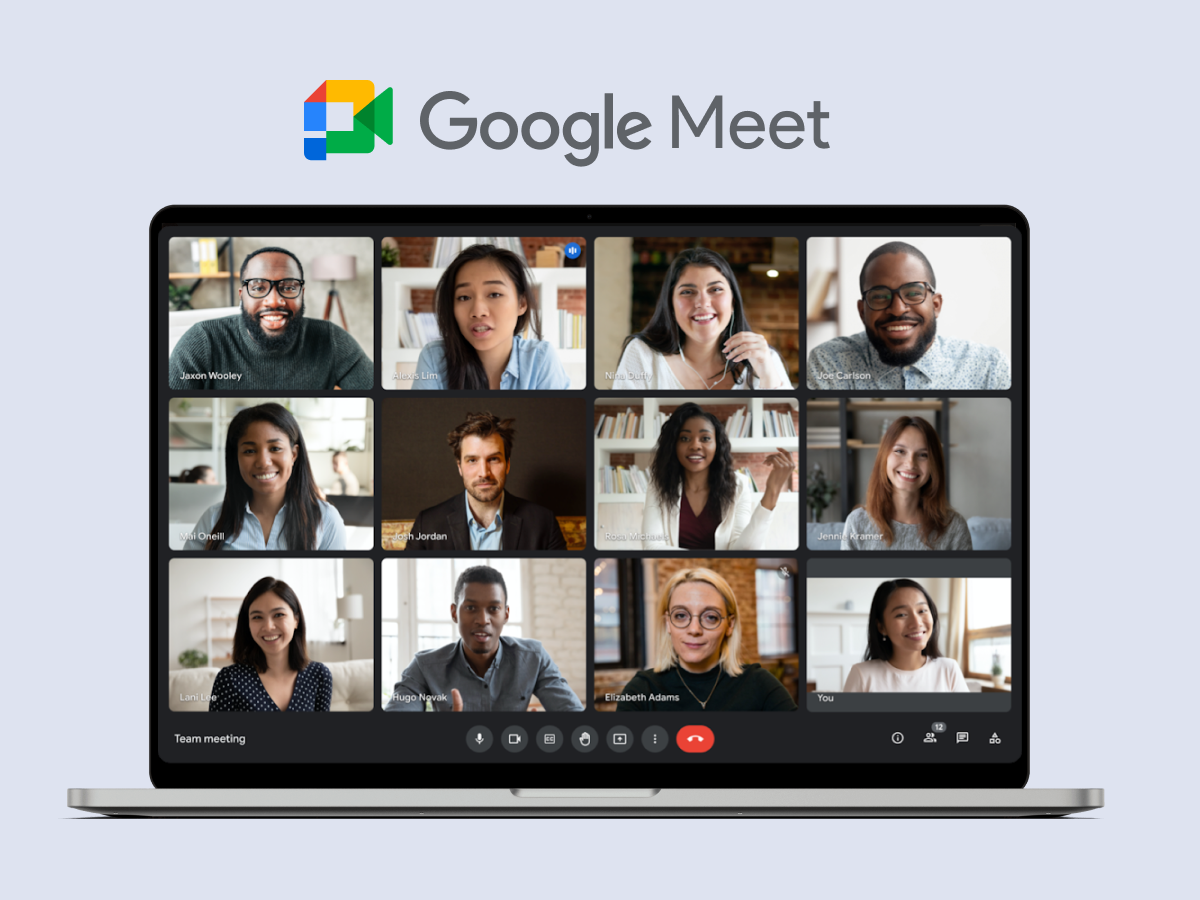
Google Meet wins on guest UX. External attendees click the calendar link and they are in the call. No account, no app, no "which Zoom account is this?" shuffle. For client-facing teams and anyone whose calls include lawyers, accountants, or procurement folks who do not touch your tool stack, this is the single biggest difference in your favor.
Google Meet wins on TCO inside a Workspace shop. The marginal cost of Meet inside a Workspace subscription is effectively zero. Recording goes to Drive, transcription syncs with Gemini notes, and admin sits in the same console as Gmail and Docs. For a team of 20 that already pays Workspace, adding Zoom is adding a second vendor for a capability you already have.
Google Meet wins on calendar workflow. Meet is native in Google Calendar. Booking a meeting creates a link automatically. Most teams outside of Microsoft shops use Google Calendar for scheduling regardless of which video tool they end up on, which tilts the workflow toward Meet by default.
Zoom wins on integrations and mobile. The Zoom App Marketplace is larger, Zapier coverage is wider, and the native mobile apps feel more mature on both iOS and Android.
What changed in 2025 and 2026
A handful of updates meaningfully changed the comparison. If you last evaluated in 2023, the picture has shifted.
Zoom Workplace rebrand, March 2024. Zoom unified meetings, chat, phone, mail, calendar, whiteboard, clips, and notes into one product. The underlying video product is what you remember. The rebrand signals Zoom's ambition to be more than video, which matters if you were considering Zoom primarily for the meetings.
Zoom AI Companion 3.0, September 2025. Agentic AI features, live translation, AI avatars, and auto-clip generation from presentations are now generally available on paid tiers at no extra cost.
Gemini bundled into Workspace, January 2025. Google dropped the standalone Gemini add-on and baked the AI features into all Workspace tiers. Net effect was a 17-22% base-price increase, but a net decrease for any team that had previously paid for Gemini on top of Workspace.
Meet auto note-taking default-on, February 2026. For any meeting with 3 or more participants, Meet now automatically generates notes and action items unless a host turns it off.
Zoom global outage, April 16, 2025. A roughly two-hour outage tied to a GoDaddy registry server block, not a breach. Zoom added a registry lock to prevent a recurrence. Worth knowing if reliability is a talking point.
"Between its superb core video conferencing features and advanced collaboration tools, Zoom is the best all-around video conferencing platform we've tested. Google Meet is a no-brainer if you use Google Workspace for online collaboration." - Neil McAllister, Senior Features Writer, PCMag
Pick Zoom if...
The research points to a clear set of scenarios where Zoom earns the seat.
You run external events, workshops, or webinars. The feature depth pays off when the call has to feel polished. Polls, breakout rooms, quizzes, attendee management, and the webinar add-on are all more mature than the equivalents on Meet.
Your team is distributed across countries with shaky bandwidth. Adaptive bitrate and low-light polish show up in practice. If you serve western clients from a team in Jakarta, Lagos, or Medellin, the difference on a patchy morning is noticeable.
E2EE is a genuine requirement. Some clients, especially in legal, healthcare, and finance, will ask. Zoom's broader availability on non-enterprise tiers is the easier answer.
You need breakout rooms often. Training, workshops, and facilitation-heavy calls benefit from Zoom's richer breakout experience.
Pick Google Meet if...
Meet wins a different set of scenarios.
You already pay for Google Workspace. The marginal cost of Meet is zero. Unless Zoom specifically earns the second vendor bill, do not pay twice for video.
Most of your calls include external guests who are not technical. Browser-only join, no account, no downloaded app. Clients who hate installing things will thank you.
Most calls are under 60 minutes and internal. Meet handles this workload cleanly. The feature gap with Zoom rarely matters at this meeting length and size.
Recording goes straight to Google Drive. Teams that already live in Drive for file sharing get recording in the same place as their other work. The Zoom equivalent means managing two storage systems.
Either works if...
For a large share of teams, the honest answer is that the video tool is not the lever. If your meetings are under 30 people, under 60 minutes, mostly internal, and mostly not client-facing, either platform will do the job. In that case what actually matters is the wrapper around the call.
"Meet wins on simplicity and cost-of-ownership within Workspace shops. Zoom wins on meeting quality and event scale." - Aggregated analyst note, Gartner Peer Insights Meeting Solutions category
The wrapper is the agenda, the invite, the notes, the tasks, and the follow-up. A good agenda makes a Meet call efficient. A bad agenda makes a Zoom call expensive. We wrote about this more fully in our Zoom fatigue piece.
The video tool is the cheapest part of the stack. The calendar around it, the agenda, and the follow-up are where the return actually lives.
Fatigue and wasted time come from virtual meeting etiquette and meeting design, not from the video tool. Picking the right video tool gets you maybe 10% of the way to better meetings. The other 90% is everything around the call.
What We Do at Rock
At Rock, we integrate all three: Zoom, Google Meet, and free Jitsi. A video call starts one click from any space, and our team picks whichever makes sense for that specific meeting. Client call? Whatever the client prefers. Internal sync? Often Meet because the link is already on the calendar. Budget-sensitive external call? Jitsi inside Rock, no account needed.
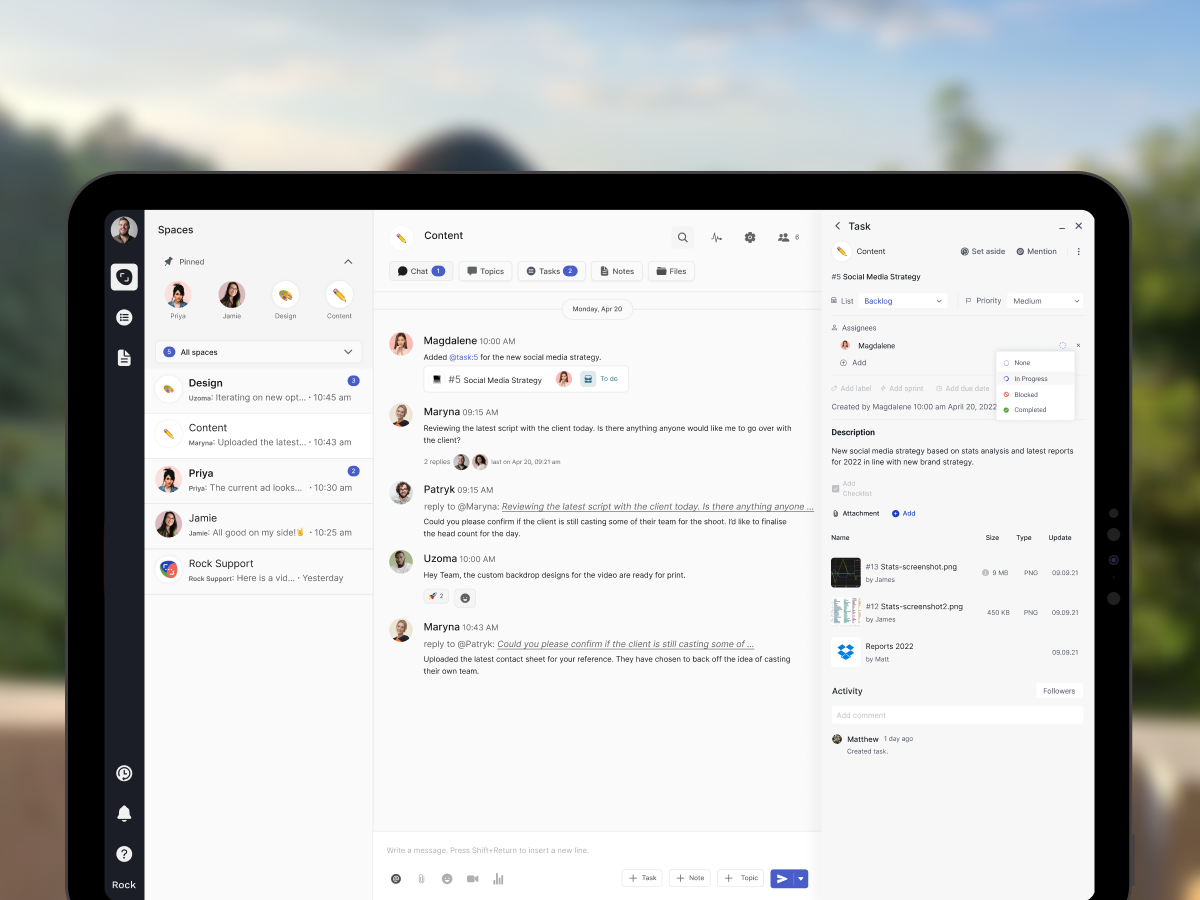
What Rock adds is the wrapper. The agenda lives in a shared note. The action items become tasks with owners and deadlines. The chat before and after the call is in the same space as the call itself. When a decision happens in the meeting, somebody turns it into a task with one click and the right person gets notified. Nothing gets lost in a recording that nobody rewatches.
None of this requires you to pick Zoom or Meet. It just requires you to stop treating the video tool as the product and start treating it as one feature inside the workspace. The Meetings mini-app in Rock makes this concrete: one-click start, Zoom or Meet or Jitsi, with everything else already in the same place.
The short version
Zoom and Google Meet both do the core job well in 2026. Zoom is the feature leader: webinars, breakout rooms, E2EE on non-enterprise tiers, and a more resilient experience on shaky connections. Google Meet is the ecosystem leader: zero marginal cost inside Workspace, one-click guest joins, and a cleaner admin and calendar workflow. If you run external events or serve distributed teams on patchy networks, lean Zoom. If you already live in Workspace and most calls are internal, lean Meet. For a lot of teams, either is fine and the agenda matters more than the pixels.
Run the widget at the top of this article on your actual call pattern. Then spend your energy on the wrapper: the agenda, the notes, the follow-up tasks, and the calendar architecture around your meetings. That is where the gains actually live.
Our guide on Zoom fatigue covers the calendar-problem thesis in more depth. The meeting cost calculator puts a dollar number on your current video load. Meeting duration has the research-backed lengths for each meeting type. And how to say no to meetings covers the ones that should not exist regardless of which tool you pick. Five tips for inefficient meetings walks through the before-during-after fix for the ones you do keep.
Rock integrates Zoom, Meet, and Jitsi in one click from any space, with chat, tasks, and notes in the same place. Rock combines all four in one workspace. One flat price, unlimited users. Get started for free.





