

Remote vs Distributed Work: The Difference That Changes How You Communicate
It Is Not About the Label. It Is About How You Communicate.
Two teams. Both work from home. Both call themselves "remote." One spends four hours a day in video calls. The other writes everything down and meets once a week. Same label, completely different experience.
The debate around remote work vs distributed work usually starts with definitions. "Remote means you can work from anywhere. Distributed means there is no central office." That is fine, but it misses the point. The real difference is not where people sit. It is whether your team defaults to synchronous or asynchronous work.
That default shapes everything: how decisions get made, how fast people burn out, and whether teammates in different time zones can actually contribute. The labels on your careers page matter far less than the communication habits your team runs on every day.

What's Your Communication Default?
Answer 4 questions to find out if your team runs sync, async, or somewhere in between.
Remote vs Distributed: The Quick Definitions
Before we move on, here is a fast overview. These definitions are everywhere, so we will keep them short.
Remote work means people can work from anywhere, but the company may still have an office. Communication often defaults to real-time: meetings, calls, and instant messages. Think of a team that left the office but kept the same habits. For a deeper look, see our full guide on what is remote work.
Distributed work means there is no central office at all. The team is spread across cities or countries, and communication is usually built around async: documents, threaded discussions, and recorded updates. GitLab, Zapier, and Automattic are well-known examples.
Hybrid work mixes office days with remote days. According to Owl Labs' 2025 report, 67% of companies now operate in a hybrid model, with 27% fully in-person and just 6% fully remote.
The model you pick matters, but here is the more useful question: which communication default does your team actually run on?
Why the Communication Default Matters More Than the Label
A remote team that requires 9-to-5 availability and fills the day with Zoom calls is just an office without walls. Everyone is "remote," but the work still depends on everyone being online at the same time. That is synchronous by default.
A distributed team that documents decisions, uses threaded discussions, and records updates lets people contribute on their own schedule. Someone in Manila can review a brief at 9 AM local time. Someone in London can respond at their 9 AM. The work moves forward without anyone waiting.

The friction is not in where people work. It is in the mismatch between how they communicate and what the work actually requires. A status update does not need a meeting. A sensitive conversation probably does. Most teams never make that distinction. They default to whatever is easiest in the moment, which is usually a call.
"Many companies haven't drawn the parallel between transparency in your work and belonging in your culture. But what we believe is that the more transparency and visibility that the entire team has to each other's work, the easier it is for people to feel like they belong." - Darren Murph, Head of Remote, GitLab
Murph's point is practical. When work is visible (written down, tracked on a board, shared in a thread), people feel included even when they were not in the room. When work only exists in conversations and calls, anyone who missed the meeting is left guessing.
This is the core of the remote work vs distributed work conversation. It is not about definitions. It is about whether your team's communication habits include or exclude people by default.
Sync vs Async: When to Use Each
The goal is not to remove all meetings or go fully async. Both synchronous and asynchronous communication have a place. The problem is that most teams over-index on sync because it is the path of least resistance.
Calendars default to 30-minute blocks. Chat apps send instant notifications. Scheduling a meeting feels like doing something, even when a written update would have worked better. Breaking that pattern takes intention.
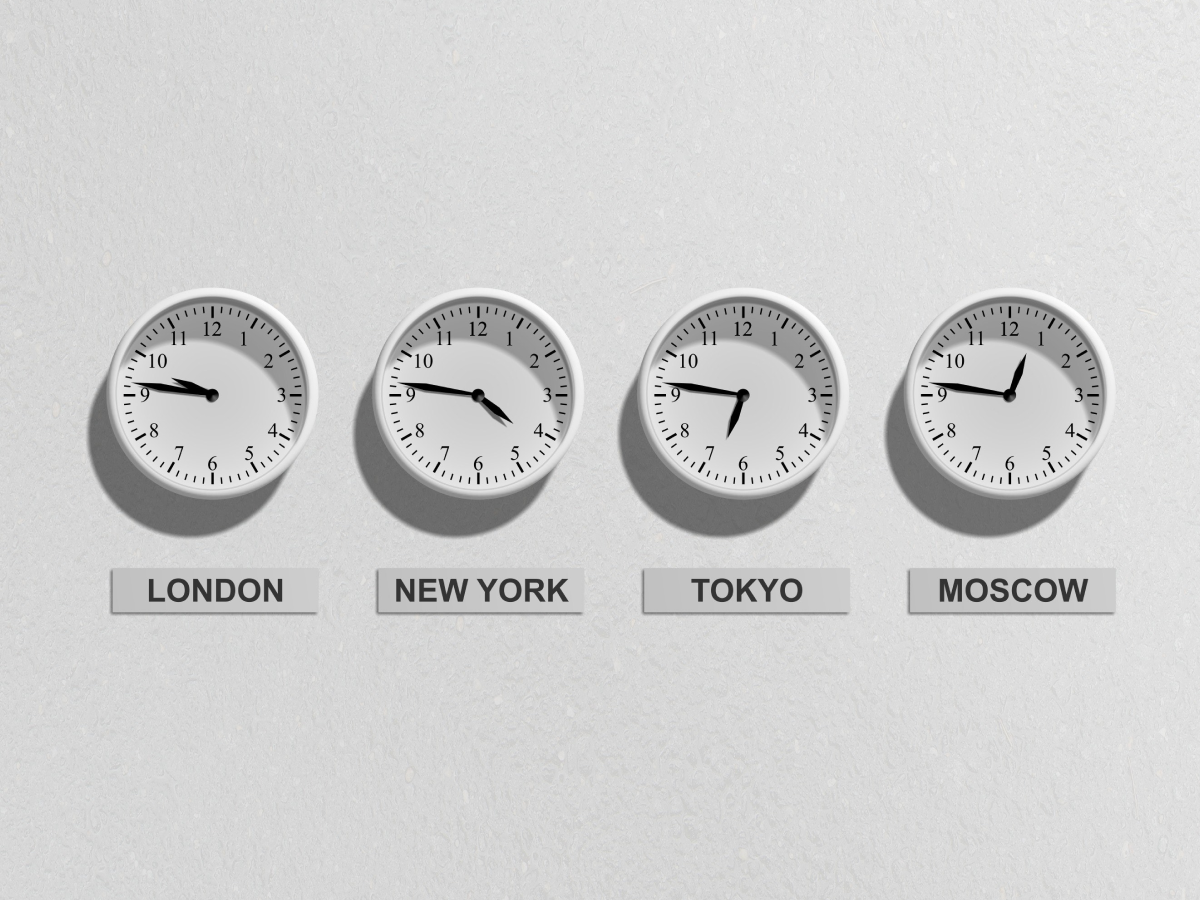
Use sync (meetings, calls, live chat) for:
Keep meetings short and purposeful. Our guide on meeting duration breaks down how long different meeting types should actually take.
Use async (docs, threads, task updates, recorded video) for:
The data supports this shift. ActivTrak's 2025 workplace report found that remote workers log 51 more productive minutes per day compared to in-office workers. That is not because remote workers are more disciplined. It is because they have fewer interruptions and more control over when they do focused work.
Stanford economist Nicholas Bloom has studied remote work for over a decade. His research includes a randomized controlled trial at Trip.com that showed hybrid workers had the same performance reviews as in-office peers, with 35% lower attrition.
"This is not just about employee happiness. It's a bottom-line issue. Hybrid work is highly profitable." - Nicholas Bloom, Economics Professor, Stanford
And it is not just employers who see the benefit. Buffer's State of Remote Work survey found that 98% of respondents would choose to work remotely for the rest of their careers. That level of preference does not come from a trend. It comes from a communication model that actually works for people.
What the Best Distributed Teams Do Differently
Distributed teams that run well are not just remote teams with better tools. They have different habits. Here is what separates teams that thrive from teams that struggle.
1. They write decisions down
If a decision only exists in someone's memory or a Zoom recording nobody will rewatch, it did not really happen. The best distributed teams treat documentation as a core part of how they work, not an afterthought. When a decision is made, it gets written in a shared note or task comment where anyone can find it later.
2. They default to async, then escalate to sync
Instead of scheduling a meeting first and canceling it if unnecessary, they start with a written message or thread. If the topic needs real-time discussion, they escalate to a call. This is the opposite of how most teams operate, and it saves hours every week.
A simple rule helps: if the update can be understood without a follow-up question, write it. If it needs real-time back-and-forth, book 15 minutes. Most updates fall into the first category, which means most meetings are optional.
3. They make work visible
Task boards replace status meetings. When everyone can see what is in progress, what is blocked, and what is done, you do not need a 30-minute standup to get that information. A quick look at the board tells the story.
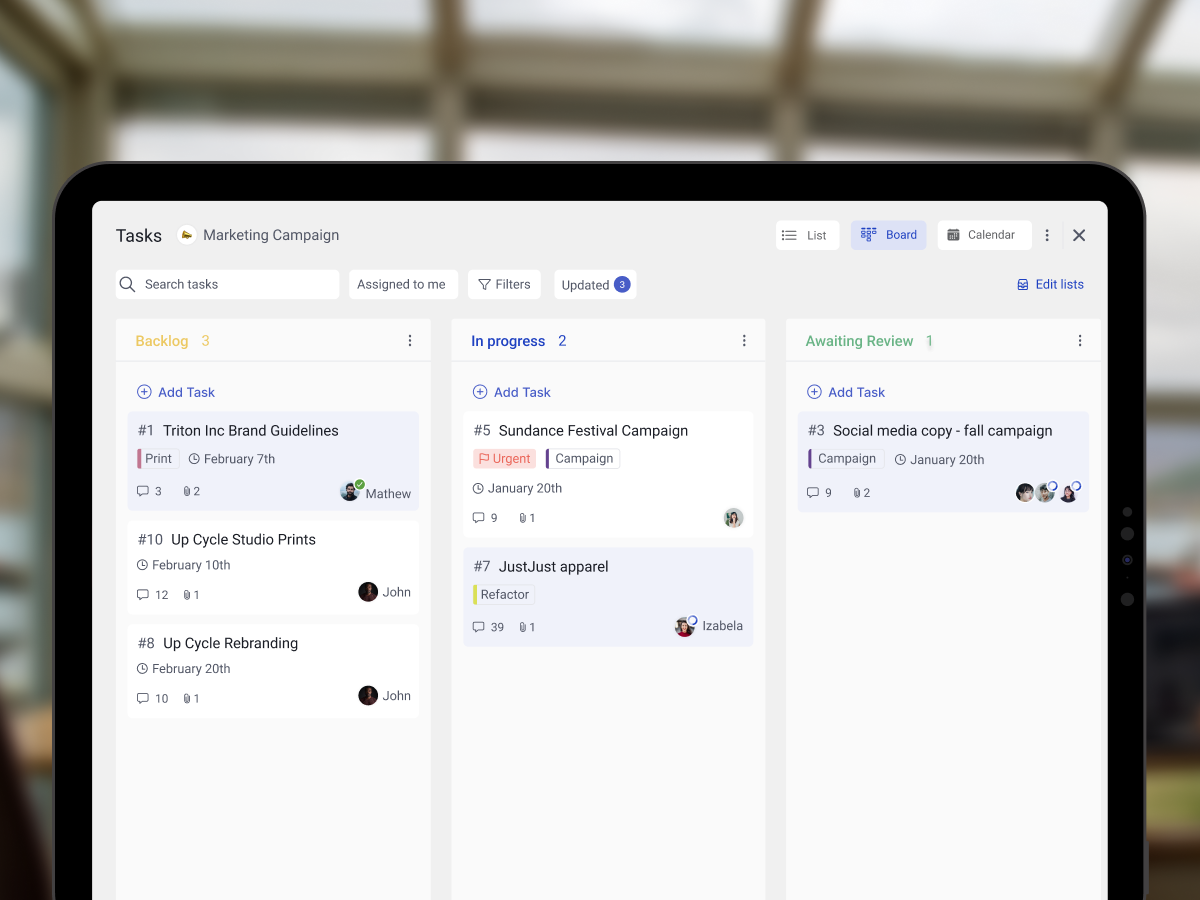
Our list of the best task management apps covers tools that make this easy, including options that work for small teams on a budget.
4. They record what matters
Voice messages, short video updates, and written summaries give people context without requiring everyone to be online at the same time. A two-minute voice note can replace a 15-minute check-in call. The key is making it easy to find later, not buried in a chat thread.
Some teams use Loom for walkthroughs and voice messages for quick updates. The format matters less than the habit. If important context only exists in a live conversation, it is gone the moment the call ends.
5. They build relationship time on purpose
In an office, relationships happen by accident: hallway conversations, lunch together, overhearing a joke. Distributed teams do not get that. The best ones schedule time for it. Weekly 1-on-1s, virtual coffee chats, and occasional team retreats keep people connected without pretending that work chat is the same as real connection.
These habits align with what researchers call effective communication strategies for distributed teams. They also overlap with the habits of highly effective remote teams: clarity, trust, and intentional communication.
"A remote culture becomes distinctly in and of itself. We're not trying to be like in-office cultures. We're trying to do things that are distinctly distributed." - Wade Foster, CEO, Zapier
Foster's point is worth sitting with. The goal is not to copy what offices do, just online. It is to build something that works specifically for people who are not in the same room. That means different norms, different rhythms, and different tools.
The Agency Angle: Why This Matters Even More for Client Work
If you run a digital agency, you are probably already distributed, even if you do not use that word. Your clients are in different cities. Your freelancers are in different time zones. Your projects run across regions. The remote work vs distributed work distinction is not theoretical for agencies. It is your daily reality.
The async default is not optional when your designer in Jakarta needs to hand off work to a copywriter in Nairobi, and the client reviews from New York. If that workflow depends on everyone being online at the same time, it breaks. If it depends on clear task assignments, written briefs, and threaded feedback, it works.
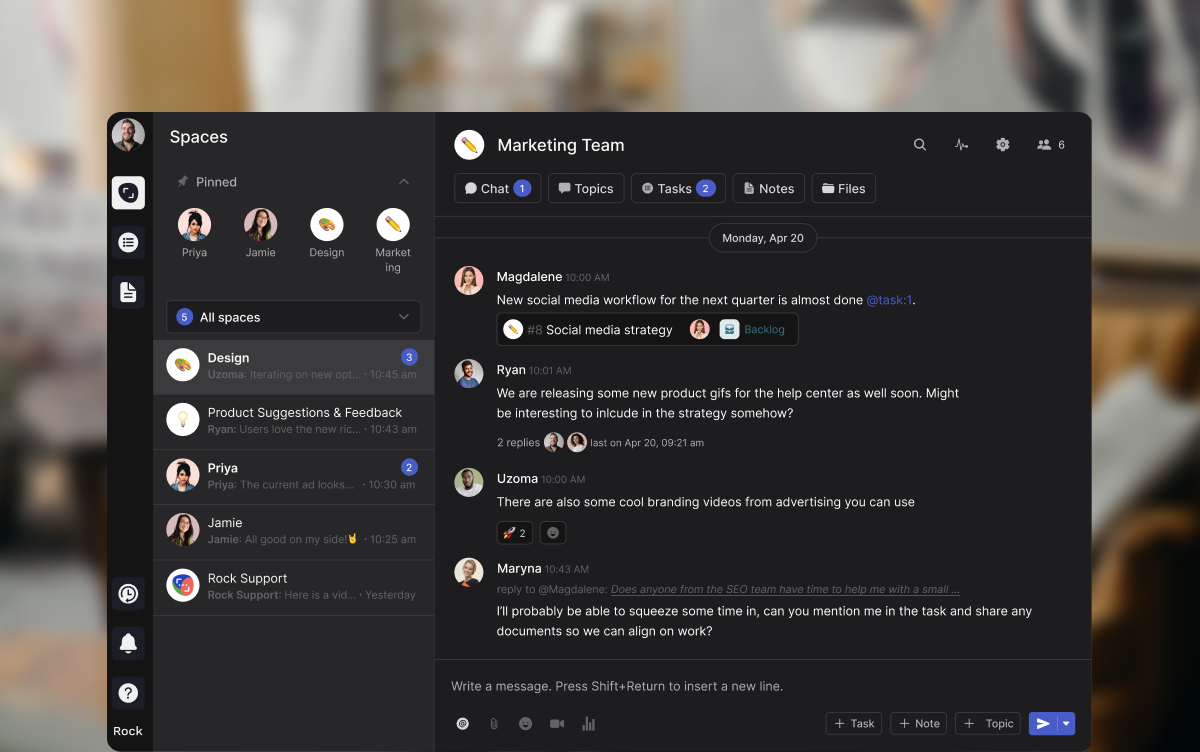
This is also where cross-functional collaboration gets real. An agency project often involves strategy, design, development, and client feedback, all flowing through the same workspace. When that workspace separates chat from tasks from documents, things fall through the cracks. When it keeps them together, people stay aligned.
What we do at Rock: every project lives in its own space with chat, tasks, notes, and files side by side. Topics (threaded sub-conversations) let teams discuss specific deliverables without cluttering the main chat. Clients and freelancers join the same space at no extra cost, so there is no "forwarding updates" or "looping people in." Everyone sees the same information.
For agencies in regions like Southeast Asia, Africa, or Latin America serving western clients, the timezone gap makes this even more important. A flat-priced tool that supports async workflows means you can grow your team without your software costs scaling per person. That is a real advantage when margins are tight and the team is spread across countries.
Building a strong remote work culture in an agency setting comes down to the same principle: make communication visible, make work trackable, and do not assume everyone is online at the same time.
The Difference That Actually Matters
The remote work vs distributed work debate is useful as a starting point. It helps you think about structure. But the conversation that changes how your team operates is about communication defaults.
Does your team default to sync or async? Do decisions get written down or lost in calls? Can someone in a different timezone contribute fully, or are they always catching up?
Those questions matter more than whether your careers page says "remote-friendly" or "fully distributed." Answer them honestly, and you will know exactly what needs to change. The right remote work tools can help, but they only work when the habits behind them are intentional.
Start with one shift this week. Take one recurring meeting and replace it with a written update. See what happens. That single change will tell you more about your team's communication default than any label ever could.
Ready to build a workspace where sync and async work together? Rock combines chat, tasks, and notes in one workspace. One flat price, unlimited users. Get started for free.





