

Slack vs Microsoft Teams: How to Pick in 2026
Slack and Microsoft Teams are the two largest team chat tools in 2026. Most teams shopping for one have already heard of both. The hard question is not which is "better." It is which fits your existing stack, your budget, and how your team actually works. Both are competent products, both ship serious AI features, both have spent the last two years adding pieces to compete with each other. The right pick depends on the conditions of your team, not the headline features.
This guide compares them axis by axis, runs the real cost at 10, 25, and 50 seats, and covers the late-2025 Microsoft Teams unbundling that most ranking comparison articles still miss. Some teams should pick Slack. Some should pick Microsoft Teams. And some should pick neither because the answer is a chat-first workspace that does not lock you into either Salesforce or Microsoft. Run the recommender below for a starting point.
Slack or Microsoft Teams? Or neither?
Answer 4 questions for an honest pick.
1. What does your team already run on?
2. How many people will use it?
3. Do you want native AI in your chat tool?
4. Do clients or freelancers need access?
Start over
Quick answer. Slack is chat-first, Salesforce-owned, and integration-deep. Microsoft Teams is Microsoft-stack-native, Copilot-driven, and the obvious fit for teams already on Microsoft 365. Pick Slack if your team lives outside the Microsoft ecosystem and values the deepest integration directory. Pick Microsoft Teams if you already pay for M365 and want chat next to Outlook, Word, and Excel. Pick neither if you want chat with tasks and notes in one workspace, at flat pricing, without locking into either platform.

Want chat without the per-seat tax?
Rock pairs messaging with tasks and notes in one workspace. Flat price, unlimited users.
What Slack is built for
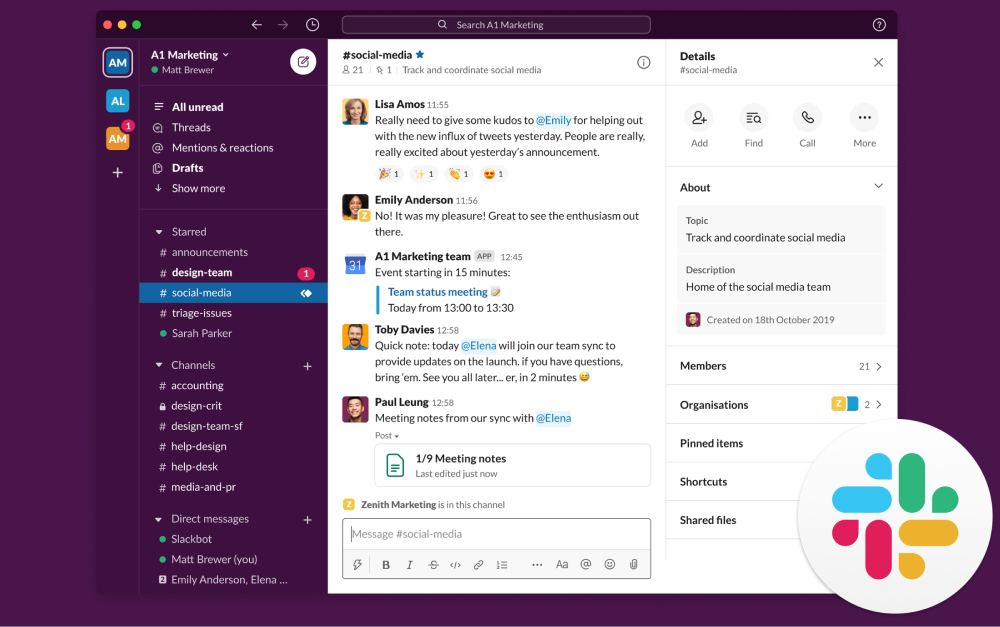
Slack launched in 2013 and made channels and threaded chat the standard for team communication. Salesforce acquired the company in 2020. The product has stayed close to the original idea: chat is the workspace, and everything else is a deep integration on top. The 2026 lineup has grown beyond chat alone.
The current feature set covers channels, threads, group huddles, Canvas (collaborative documents inside Slack), Lists (lightweight project tracking), and Slack Connect for cross-organization channels. Slackbot is now context-aware, pulling answers from channels, canvases, and Salesforce records when grounded with permissions. Agentforce agents run inside Slack threads for sales and support workflows. The integration directory has 2,600+ apps, the deepest in the category by a wide margin.
"Knowledge work has been crushed by the hyperactive hive mind workflow." - Cal Newport, Author of A World Without Email
Newport's line is the honest critique of how Slack is sometimes used in practice. The tool itself is not the problem. The team norms around it are. Slack works well when teams use channels to keep work visible and asynchronous. It becomes the hyperactive hive mind when the same teams treat it as instant-messaging-with-CC-everyone. The product offers structure (channels, threads, statuses, Do Not Disturb) but does not enforce it.
The big 2025 shift was AI pricing. Slack killed the standalone Slack AI add-on (which was $10 per user per month) and bundled the same features into every paid tier mid-year. So Pro, Business+, and Enterprise+ all now include AI message summaries, channel recap, and search-grounded answers as part of the base price. This makes the Slack vs Microsoft Teams cost comparison meaningfully different from articles published before May 2025.
For deeper context on the wider chat-tool field, see our Slack alternatives guide and the instant messaging apps roundup.
What Microsoft Teams is built for
Microsoft Teams launched in 2017 as Microsoft's answer to Slack. The product grew into the largest enterprise collaboration platform almost entirely by being bundled with Microsoft 365. That free distribution model ended in late 2025, which we cover separately below. The product itself has matured into a full collaboration suite. Chat channels, video meetings with recording and transcription, file storage via OneDrive and SharePoint, document collaboration through Loop, and tight integration with the rest of Microsoft 365.
The 2026 release pushed AI deeply into the product. Microsoft 365 Copilot Chat now lives inside Teams chats, channels, calls, and meetings on Windows, Mac, and Web. Mobile rollout is in progress. Video meeting recaps generate narrated highlight reels, not just transcripts. Smart scheduling proposes meeting times across attendee calendars. Teams Premium is the upsell layer for advanced security, intelligent recap, and webinar tooling.

Where Microsoft Teams shines is integration with the rest of Microsoft 365. Outlook calendar invites become Teams meetings in one click. Word documents open inline for collaborative editing. SharePoint files surface in channel tabs. Power Automate flows trigger from Teams events. For organizations already standardized on Microsoft 365, the friction to adopt Teams is close to zero.
Where Microsoft Teams struggles is outside that ecosystem. Teams Connect (the equivalent of Slack Connect for cross-org chat) is functional but less mature than Slack's. The integration directory exists but is shallower than Slack's. And the unbundling decision changed the economic calculus, which we cover next.
Slack vs Microsoft Teams side-by-side
Six axes matter when picking between these tools in 2026. Channels and threading, video, AI strategy, integrations, security and compliance, and pricing. Here is how each one stacks up.
| Feature | Slack | Microsoft Teams |
|---|---|---|
| Owned by | Salesforce (since 2020) | Microsoft |
| Built around | Channels and threaded chat | Teams, channels, and Microsoft 365 integration |
| Best for | Companies that lead with chat, often Salesforce-stack | Companies already on Microsoft 365 |
| Channels and threads | Strong, mature threading model | Channels with newer threading, less polished |
| Video and meetings | Huddles, screen share, basic meetings | Full meetings platform with recording and transcription |
| AI in 2026 | Slack AI bundled in all paid tiers (was $10 add-on, killed mid-2025); Agentforce agents | Copilot is a separate $18-21/user/mo add-on |
| Integrations | 2,600+ apps in directory; deepest ecosystem | Microsoft 365 native, plus growing third-party |
| Free plan | 90-day message history, limited integrations, no group huddles | Limited, capped on most features |
| Paid from | Pro $7.25/user/mo (annual) | Teams Essentials $4/user/mo (rises to $4.50 July 2026) |
| Higher tier | Business+ $12.50/user/mo | M365 Business Standard $12.50/user/mo (rises to ~$14.50 July 2026) |
| Lock-in | Salesforce orbit | M365 dependency (less so since Nov 2025 unbundling) |
| Mobile | Strong, near desktop parity | Strong, especially inside M365 ecosystem |
| Compliance and security | Strong, especially on Enterprise+ | Best in class for regulated industries |
Channels and threading
Slack wins on threading depth. Threads were a first-class feature from the early days. The pattern is well-established: a channel holds the conversation flow, and threads keep replies organized so a fast-moving channel does not bury context. Mature teams build cultures around threading discipline.
Microsoft Teams threads work, but the model is newer and the conventions less mature. Channel posts have a clear "reply in thread" affordance, but the experience does not feel as natural to teams that came up on Slack. For users coming from email, Teams' channel layout reads as more familiar. For users coming from chat-first products, Slack feels closer to home.
Both tools support direct messages, group DMs, mentions, and reactions. The basics are at parity. The difference is in how teams actually use channels day to day.
Video and meetings
Microsoft Teams wins on video. The platform was built around meetings as a first-class object: scheduled events, persistent meeting chat, recording, transcription, breakout rooms, and now AI-generated highlight reels. For organizations that run formal meetings often, Teams is closer to a full meeting platform than a chat tool that hosts video.
Slack offers Huddles (lightweight ad-hoc audio and video) on most paid tiers, plus longer scheduled meetings on higher tiers. Huddles are great for quick syncs without scheduling overhead. They are not a replacement for a dedicated meeting platform. Teams that pick Slack often pair it with Zoom or Google Meet for formal meetings.
For teams running heavy meeting volume, Teams covers more ground in one tool. For teams that prefer async-first work and use video sparingly, Slack plus a separate meeting tool is fine. See our Zoom vs Google Meet comparison for the standalone-meeting-tool decision.
AI strategy in 2026
This is where the two products diverge sharply. Slack went all-in on bundling AI into base plans. Microsoft Teams kept AI as a separate paid add-on through Copilot.
Slack AI was a $10 per user per month add-on through 2024. In mid-2025 the company killed the add-on and bundled the features into every paid tier. So at $7.25 per user per month on Pro, you now get message summaries, channel recap, search-grounded answers, and Canvas AI editing. Agentforce agents extend this for Salesforce-stack teams.
Microsoft Teams keeps Copilot as a separate add-on at $18 to $21 per user per month, layered on top of whichever Microsoft 365 plan you already pay for. So a 25-person team on M365 Business Standard plus Copilot is paying $14.50 plus $21 per user per month, totaling roughly $35 per user. The all-in cost is meaningfully higher than Slack's bundled approach.
The trade-off is feature depth. Microsoft Copilot is the more capable assistant when grounded across the full Microsoft 365 corpus (Outlook, Word, Excel, SharePoint, OneDrive, Teams). Slack AI is more limited in scope but cheaper and easier to evaluate. For teams where AI is critical, the question is whether Copilot's depth is worth the per-user surcharge.
Integrations
Slack wins on breadth. The integration directory has over 2,600 apps including most major SaaS tools (Salesforce, Jira, GitHub, Zoom, HubSpot, Notion, Linear, Figma). The integrations are typically deeper than what Teams offers because Slack has been the default chat tool for SaaS-first companies for a decade.
Microsoft Teams has a growing app directory, but the mix skews toward Microsoft-friendly tools and enterprise compliance partners. The native integrations with the rest of Microsoft 365 are unmatched. Outlook, OneDrive, SharePoint, Power Platform, and Dynamics all connect natively. Third-party integrations are functional but not as deep as Slack's equivalents.
For a team that lives in SaaS tools, Slack's directory is a real productivity advantage. For a team that lives in Microsoft 365, Teams' native integrations are a productivity advantage in the other direction. The question is which ecosystem your team already runs on.
Security and compliance
Microsoft Teams wins on enterprise compliance. Teams inherits Microsoft 365's full compliance certification surface (HIPAA, FedRAMP High, GDPR, SOC 2, ISO 27001). For regulated industries (healthcare, financial services, government, defense), Teams is often the only viable option among modern chat tools.
Slack covers most of the same certifications on Enterprise+ tier. The implementation is mature and used by many enterprises. For organizations not in regulated industries, the difference rarely matters in practice. For organizations that ARE in regulated industries, Microsoft Teams is the safer pick.
Pricing tiers
Slack uses straightforward per-user tiers. Pro is $7.25 per user per month on annual billing. Business+ is $12.50 per user per month. Enterprise+ is custom (typically $15 or more). All paid tiers include Slack AI as of mid-2025. Pricing details on slack.com/pricing.
Microsoft Teams pricing is fragmented across multiple Microsoft 365 plans. Teams Essentials is the chat-only standalone at $4 per user per month (rising to $4.50 in July 2026). Microsoft 365 Business Basic is $6 (rising to $7) and includes Teams plus web/mobile Office. Business Standard at $12.50 (rising to $14.50) includes desktop Office. Business Premium is $22 with advanced security. Enterprise plans add another layer. Copilot is a separate $18 to $21 per user per month add-on. Pricing details on microsoft.com.
Both vendors have raised prices in 2026. Microsoft 365 plans get an across-the-board increase in July 2026. Slack tier prices have been stable but the killing of Slack AI as a $10 add-on raised the effective price for teams that did not previously buy AI. The math depends on team size and what you actually use.
The Microsoft Teams unbundling and what it means in 2026
This part has not landed in most ranking comparison articles yet. In November 2025, Microsoft began unbundling Teams from Microsoft 365 globally, after first doing so in the EU and EEA in 2024 to settle European Commission antitrust concerns. The rollout went global through late 2025 and early 2026.
The practical change: Teams is no longer free with Office. New customers buying Microsoft 365 Business Basic, Business Standard, or Business Premium can choose between plans that include Teams and plans that exclude Teams. The unbundled SKUs are priced lower, with Teams sold separately as a $5.25 per user per month add-on for new customers. Existing customers on bundled plans keep their current pricing on renewal, but new SKUs are unbundled.
This matters for two reasons. First, the long-standing argument that "Teams is free if you already pay for Office" is no longer true for new buyers. The economic gravity that pulled most M365 customers into Teams by default has weakened. Second, the unbundling makes the Slack vs Microsoft Teams cost comparison cleaner. You can now run Microsoft 365 without Teams and adopt a different chat tool, paying only the lower no-Teams M365 price plus your chat tool of choice.
For a 25-person team that previously got Teams "free" with M365 Business Standard, the math now shifts. If you renew or sign up new on the unbundled SKU, you pay the lower M365 rate plus a chat tool. Slack at $7.25 per user becomes a real direct comparison rather than an additional spend. So does any other chat-first option, including async-first workspaces.
The freshness of this development is itself an advantage when evaluating older comparison content. Many top-ranking articles still cite "Teams is free with Office" as a Teams advantage. In 2026, that advantage is fading.
Real cost at 10, 25, and 50 seats
Most comparison articles model 10 seats and stop. Below is the verified annual cost at 10, 25, and 50 seats using 2026 list prices on annual billing. Microsoft Teams pricing assumes Teams plus the relevant M365 plan since most buyers do not run Teams Essentials standalone past the smallest sizes. Rock is included as a flat-rate reference for the chat-tool category.
| Team size | Slack Pro (incl. AI) | Slack Business+ (incl. AI) | Teams Essentials | M365 Business Standard | M365 Bus. Std + Copilot | Rock Unlimited |
|---|---|---|---|---|---|---|
| 10 people | $870 | $1,500 | $480 | $1,500 | $3,720 | $899 |
| 25 people | $2,175 | $3,750 | $1,200 | $3,750 | $9,300 | $899 |
| 50 people | $4,350 | $7,500 | $2,400 | $7,500 | $18,600 | $899 |
Three things stand out. First, Slack Pro at $7.25 per user (with AI bundled) is the cheapest option once you get past the smallest team sizes. Second, Microsoft 365 Business Standard plus Copilot is the most expensive paid path, more than 4× Slack Pro and more than 20× Rock at 50 seats. Third, Rock at $899 per year on annual billing is cheaper than every paid Slack or Microsoft Teams option once you cross about 10 to 12 people.
The breakeven math: at 10 people, Slack Pro ($870) and Rock ($899) cost roughly the same. Past 12 people on Slack Pro, Rock starts to cost less. At 25 people, Rock at $899 is a quarter of Slack Pro's $2,175 or a tenth of M365 Business Standard plus Copilot at $9,300. At 50 people, the gap is dramatic enough to fund a part-time role with the savings.
None of this matters if Slack or Microsoft Teams is the right tool for the work. Pricing alone is a bad reason to switch. But the math becomes part of the conversation as teams grow past 15 people, especially when AI add-on costs stack on top of base licensing. For broader cost-modeling against the wider category, see our task management apps roundup.
Or skip the choice entirely
Rock combines chat, tasks, and notes. Built for client work, free for small teams.
When to pick Slack
Slack is the right pick for teams that lead with chat and want the deepest integration ecosystem. Some specific cases.
SaaS-first companies and startups. If your stack is built on tools like Salesforce, HubSpot, GitHub, Jira, Linear, Figma, or Notion, Slack's integration directory delivers the deepest connections in the category. Most modern SaaS tools have a Slack integration before they have a Teams one.
Teams already in the Salesforce orbit. Slack plus Salesforce gives you Agentforce agents inside chat, channel access to CRM records, and unified search across both. For sales-heavy organizations, the integration is meaningful.
Teams that want bundled AI without paying extra. Slack AI is included in all paid tiers as of mid-2025. Compared to Microsoft Copilot's $18 to $21 per user per month surcharge, Slack's bundled approach is dramatically cheaper for teams that want chat-first AI.
Teams that prioritize threading and channel discipline. Slack's threading model is the most mature in the category. Teams that depend on async work and channel-based information architecture will feel at home faster.
Skip Slack if. You already pay for Microsoft 365 and your team mostly uses Outlook, Word, and Excel. You need enterprise-grade compliance for regulated industries. You run heavy meeting volume and want video as a first-class feature. Or your team is on a tight budget and the per-user math at scale is a problem.
When to pick Microsoft Teams
Microsoft Teams is the right pick for teams already standardized on Microsoft 365 or working in regulated industries. Some specific cases.
Teams already on Microsoft 365. If your team uses Outlook for email, Word for documents, Excel for spreadsheets, and SharePoint for file storage, Teams sits in the middle of the workflow with zero adoption friction. The integration is unmatched and the learning curve close to zero.
Regulated industries. Healthcare, financial services, government, and defense organizations often have compliance requirements (HIPAA, FedRAMP, FINRA, GDPR) that Microsoft Teams meets out of the box on Enterprise plans. Slack covers similar certifications but the procurement process is often easier with Microsoft.
Teams that need video as a first-class feature. Teams' meeting platform is more mature than Slack's. Recording, transcription, breakout rooms, AI-generated highlight reels, and webinar tooling come built in. For organizations running frequent formal meetings, Teams reduces the need for a separate video tool.
Teams that want Copilot integrated across the workspace. Microsoft Copilot grounded across Outlook, Word, Excel, SharePoint, OneDrive, and Teams is more capable than Slack AI for cross-tool workflows. The cost is real, but for teams where Copilot replaces multiple AI tools, the math can work.
Skip Microsoft Teams if. Your team does not use Microsoft 365. You are SaaS-first and want the deepest third-party integration directory. You want bundled AI without a separate Copilot license. Your team is small enough that the M365 ecosystem benefits do not pay back the lock-in. Or you want to avoid platform dependency on Microsoft.
When you should pick neither
The Slack vs Microsoft Teams question hides a third question: is chat alone the right tool, or do you actually need chat plus tasks plus notes in one workspace? Slack and Microsoft Teams are both chat-first products. They do not bundle real task management or document collaboration. So most teams using either pair it with a separate project management tool (ClickUp, Asana, Monday, Trello, Notion) and a separate document tool. Three tools, three bills, three places where information lives.
The Harvard Business Review study on app toggling found that knowledge workers switch apps up to 1,200 times per day, losing roughly four hours a week to context switching. Stacking Slack on top of a PM tool on top of a doc tool makes that number worse, not better. For agencies and growing teams that pull clients and freelancers into the work, the per-seat math on guest access compounds the cost.
"We need to be willing to lose familiar territory and gain new ground." - Satya Nadella, CEO of Microsoft
Nadella's line applies to the Microsoft Teams unbundling itself. The familiar territory was "Teams is free with Office, just adopt it." That gravity is fading. Buyers in 2026 have more freedom to evaluate chat tools on their merits, not on what is bundled with their email. That freedom cuts both ways. Slack benefits because the comparison is cleaner. So does any chat-first workspace that bundles tasks and notes alongside chat.
Rock falls into that last category. Every project space includes its own chat, task board, notes, and file storage. Pricing is flat at $89 a month for unlimited users, or $74.92 a month on the annual plan, which works out to $899 per year. For a 25-person team, that is $36 per person per year, less than three months of Slack Pro at the same headcount. Clients and freelancers join spaces directly without per-seat fees, which solves the cross-organization access tax that bites both Slack Connect and Teams Connect users.
"If you can't decide, the answer is no." - Naval Ravikant, Investor and Co-founder of AngelList
Ravikant's heuristic fits the third-option pivot. If you cannot decide between Slack and Microsoft Teams, the answer might genuinely be neither. Both are competent products. Both have real lock-in. Neither bundles the wider workspace.
Rock is not the right tool for everyone. If your team is 100+ people and needs full enterprise compliance, Microsoft Teams is the safer pick. If your team lives in Salesforce and needs Agentforce agents inside chat, Slack is the better fit. If your team has standardized on Microsoft 365 and the integration cost of switching is high, Teams stays the easier path. Rock fits the chat-first growing team that wants tasks and notes in the same workspace, at flat pricing, without the per-seat tax. That is a real subset of teams, but not the universal answer.
For teams that want to test the chat-first workspace model on real work, Rock's free plan covers 3 group spaces with 5 members each. That is enough to run a project end to end. Compare against your current Slack or Microsoft Teams plus PM-tool plus doc-tool monthly cost. The math at 15 or more people is hard to argue with. See our instant messaging apps guide, the Slack vs Google Chat head-to-head, and our communication strategies piece for the wider chat-first context.
FAQ
Is Slack better than Microsoft Teams? Neither is universally better. They are built around different stacks. Slack is the stronger pick for teams outside the Microsoft ecosystem, especially Salesforce-stack and SaaS-first companies. Microsoft Teams is the stronger pick for teams already on Microsoft 365 and for regulated industries that need enterprise compliance. The right choice depends on what your team already runs on.
Is Microsoft Teams free in 2026? No, not the way it used to be. Microsoft began unbundling Teams from Microsoft 365 globally in late 2025. New customers buying Microsoft 365 plans can choose between plans that include Teams and plans that exclude Teams. The free tier of Teams (Teams Free) still exists with limited features. Existing M365 customers on bundled plans keep their current pricing on renewal. But the "Teams is free with Office" line is no longer accurate for new buyers.
Which is cheaper, Slack or Microsoft Teams? It depends on team size and AI needs. At small sizes (under 10 people), Microsoft Teams Essentials at $4 per user per month is the cheapest paid option. Slack Pro at $7.25 per user is more expensive but includes Slack AI bundled. At larger sizes with AI, the math flips. Slack Pro includes AI in the base price. Microsoft Teams Copilot is a $18 to $21 per user per month add-on on top of M365. The cost-modeling table above breaks down each scenario at multiple team sizes.
Does Slack have AI? Yes. Slack AI was a $10 per user per month add-on through 2024. In mid-2025, Slack killed the add-on and bundled the features into every paid tier. So Pro, Business+, and Enterprise+ all include AI summaries, channel recap, search-grounded answers, and Canvas AI editing as part of the base price. Agentforce agents (Salesforce-integrated) are available for compatible setups.
Does Microsoft Teams have AI? Yes, through Microsoft Copilot, which is a separate add-on at $18 to $21 per user per month on top of whichever Microsoft 365 plan you have. Copilot in Teams covers chat summarization, meeting recap with narrated highlight reels, smart scheduling, and grounded answers across Microsoft 365. It is more capable than Slack AI in scope but meaningfully more expensive on a per-user basis.
Can Slack and Microsoft Teams talk to each other? Not natively. There are third-party bridge tools (Mio, Cloudfuze) that synchronize messages between the two platforms, but the experience is imperfect. Most organizations that need both end up running them in parallel for different use cases (Teams for internal Microsoft-stack work, Slack for client channels and SaaS integrations).
What about teams of 5 to 15 people that do not need much? Both Slack and Microsoft Teams have free tiers that work fine for small teams that mostly need basic chat. Slack Free caps at 90 days of message history but covers DMs, channels, basic integrations, and one-on-one huddles. Teams Free covers chat, channels, and limited meetings. For a 5 to 15 person team without complex integration or compliance needs, either free tier is enough, and paid upgrades are not strictly necessary until growth pushes the limits.
Want one workspace where chat, tasks, and notes live together? Rock combines all three with flat pricing for unlimited users. Get started for free.





