

Asana vs Notion: Which One Fits Your Team in 2026?
Asana and Notion solve project work in opposite directions. Asana is structured project management. Tasks roll up into projects, projects into portfolios, portfolios into goals, with timelines, dependencies, and reporting baked in from day one. Notion is a flexible workspace. Pages turn into databases, databases into views, and you assemble your own project tracker, wiki, or spec library on top.
That single difference shapes everything else. This Asana vs Notion guide compares them honestly, axis by axis, and runs the real cost at 5, 15, 30, and 50 seats using 2026 list prices. Some teams should pick Asana. Some should pick Notion. And some should pick neither because the chat-first workspace closer to how an agency team actually communicates lives somewhere else. Run the recommender below for a starting point.
Asana or Notion? Or neither?
Answer 4 questions for an honest pick.
1. What does your team need most?
2. How important is AI in the tool?
3. How many people will use it?
4. Do clients or freelancers need access?
Start over
Quick answer. Asana is structured project management with timelines, dependencies, and goal tracking. Notion is a flexible workspace built around the page. Pick Asana if you run formal projects with deadlines and reporting. Pick Notion if you want to build a real knowledge base and assemble your own task system. Pick neither if you want chat-first agency work with clients and freelancers in the same space.

That third option, simply.
Rock is chat-first with tasks and notes in the same workspace. Built for client work, free for small teams.
What Asana is built for
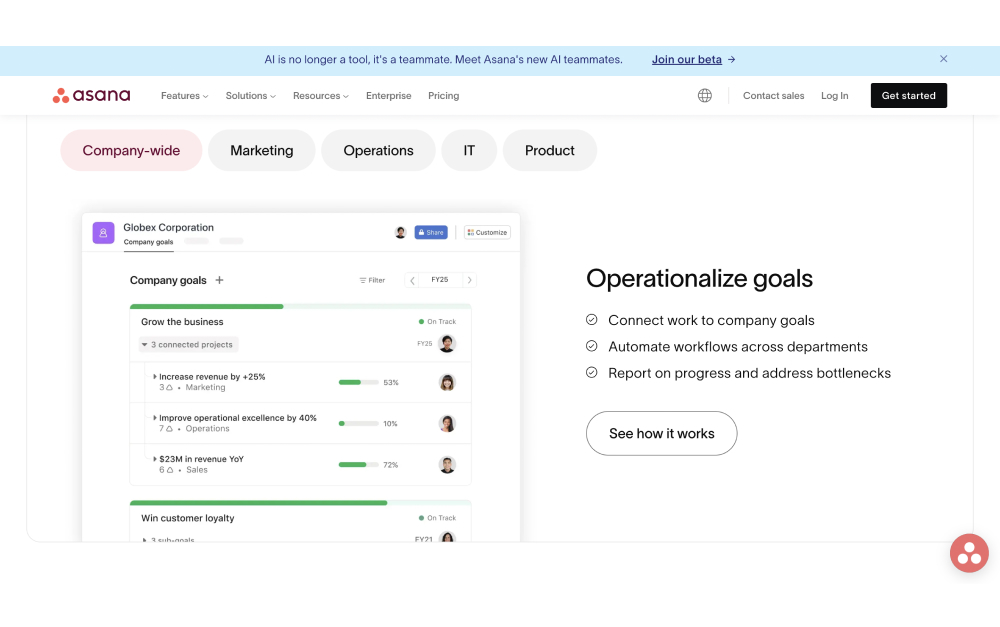
Asana launched in 2008 to solve one problem: who is doing what by when. The product has grown around that idea. Tasks have assignees, due dates, and dependencies. Projects bundle tasks into deliverables. Portfolios bundle projects into programs. Goals connect everything to outcomes. Custom fields, timelines, and reporting dashboards turn the data into something a project lead can actually run.
Asana also leaned hard into AI in 2025. Asana AI Studio and AI Teammates ship from the Starter plan and above, with monthly credit allotments scaling up by tier. The bet is that structured project data is exactly what AI agents need to do useful work. Reporting summaries, status updates, dependency suggestions, and risk flags become automatable when the underlying tasks already have rich metadata.
"Perfection is achieved, not when there is nothing more to add, but when there is nothing left to take away." - Antoine de Saint-Exupéry, Author of Wind, Sand and Stars
Saint-Exupéry's line captures the Asana philosophy. The product is opinionated about what a task is, what a project is, what a goal is. Teams that want a clear hierarchy and standard reporting appreciate the structure. Teams that want to build a wiki, a CRM, a content calendar, and a meeting notes system in the same tool find it limiting. For the wider field, see our Asana alternatives guide, the what is Asana explainer, or our Asana vs Basecamp head-to-head.
What Notion is built for
Notion takes the opposite approach. Every page is a flexible block-based document. Any page can become a database. Tables, kanban boards, calendars, and galleries are all views over the same data. The trade-off is that nothing comes pre-built. You decide what your project tracker looks like, what fields a task has, how docs are organized, and how teams navigate the workspace.
Product specs, engineering wikis, content calendars, OKR trackers, customer research libraries, and onboarding handbooks live well in Notion. The free plan is generous for individuals and small teams. Notion AI was bundled into the Business plan in May 2025. Teams paying $20 per user per month or more get a writing assistant, summarization, action-item extraction, Notion Agent, and Q&A across the workspace at no extra cost.
"Asana is the better project management platform. Asana's interface is friendlier, the workflow tools are more advanced." - Brett Day, Writer and Editor at Cloudwards
Day's line captures one half of the Asana vs Notion trade-off. Asana wins on PM. Notion wins on docs and flexibility. The other half is harder. Notion's flexibility means teams have to build a system before they can use it. Many teams end up with elaborate Notion workspaces that nobody but the original architect understands. For the broader field of options, see our Notion alternatives guide. For deeper Notion comparisons, see Notion vs ClickUp, Notion vs Trello, and Basecamp vs Notion.

Asana vs Notion side-by-side
Five axes matter when picking between these tools. Philosophy, tasks and PM, docs and wiki, AI in 2026, and pricing. Here is how each one stacks up.
| Feature | Asana | Notion |
|---|---|---|
| Philosophy | Structured project management, hierarchy first | Flexible workspace, building material |
| Best for | Project-led teams with timelines and dependencies | Knowledge bases, wikis, docs that do light tasks |
| Tasks and PM | Tasks, projects, portfolios, goals, timelines, custom fields | Tables and kanban via databases (build it yourself) |
| Docs and wiki | Limited: project briefs and task descriptions | Best in class for nested pages and linked databases |
| Built-in chat | Comments only, no real-time chat | Comments only, no real-time chat |
| AI in 2026 | Asana AI Studio + AI Teammates from Starter ($10.99/user/mo) | Notion AI bundled into Business plan ($20/user/mo) |
| Free plan | 2 users max, unlimited tasks and projects | Unlimited blocks for personal use, limited team blocks |
| Paid from | Starter $10.99/user/mo, Advanced $24.99/user/mo (annual) | Plus $10/user/mo, Business $20/user/mo (annual) |
| Client access | Guests on paid plans, count toward seat limits at full access | Guests on paid plans, page-level access |
| Mobile | Strong, full feature parity | Functional, slower than desktop |
| Learning curve | Moderate, structured templates help | Steep, every team builds its own system |
Philosophy: structured PM vs building material
This is the spine of the Asana vs Notion comparison. Asana arrives with structure. The hierarchy is decided, the field types are decided, the reporting views are decided. New teammates open it and know where to log a task, where to set a due date, where to flag a blocker. Onboarding takes minutes for anyone who has used a PM tool before.
Notion arrives with components. Pages, databases, properties, views, relations, formulas. The team architect decides what a project tracker looks like, what a meeting note template includes, how the wiki nests. Onboarding takes longer because every workspace looks different. The flexibility is real and the trade-off is real.
For agency owners running multiple client projects with similar shapes, Asana's structured model keeps everyone consistent. For founders or product teams who want to shape the workspace to match exactly how they think, Notion's building-material model wins.
Tasks and project management
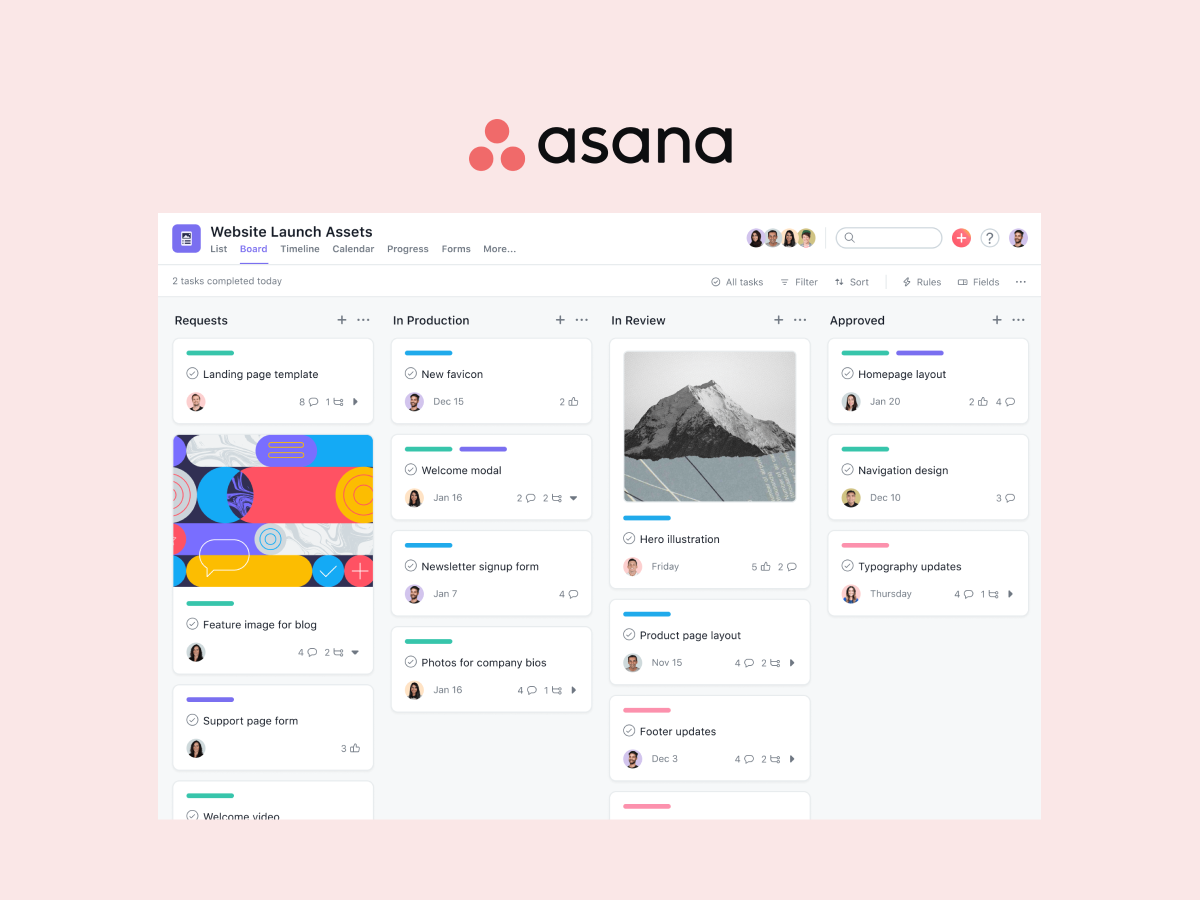
Asana wins this axis decisively. Tasks have first-class assignees, due dates, dependencies, custom fields, and subtasks. Projects ship with list, board, calendar, timeline (Gantt), and workload views out of the box. Portfolios, goals, and reporting dashboards roll task-level data up into program-level visibility. None of this needs setup beyond naming things.
Notion has no native PM features. Tasks are a database of pages with date and status fields. Teams build their own kanban or list views. Templates from the community fill some gaps, but the result is always a mimicry of dedicated PM tools rather than the real thing. Teams that need formal project management often hit a wall in Notion within months and end up running both tools.
If your work needs Gantt charts and dependencies, look at our ClickUp alternatives roundup or ClickUp vs Asana for the next-tier comparison. Notion alone will frustrate teams running formal projects.
Docs and wiki
Notion wins this axis decisively. The block-based editor, nested page hierarchy, linked databases, and synced blocks make Notion the strongest knowledge tool in the comparison. Teams that build wikis, product specs, and meeting note systems in Notion rarely move away because the doc experience itself is the product.
Asana's docs and project briefs cover the basics. They handle short documents, decisions, and announcements well enough. They are not the place to build a 500-page wiki or a customer support knowledge base. Teams that want both formal PM and a deep wiki end up running Asana plus Notion or Asana plus Confluence.
AI in 2026
This is the closest race in the comparison. Both tools bundle AI into their paid plans, which makes the cost-per-AI-feature comparison interesting.
Asana ships AI Studio and AI Teammates from the Starter plan ($10.99 per user per month annual). The credit allotment scales with tier: 50K credits on Starter, 75K on Advanced, 200K on Enterprise. Use cases lean toward project automation: status summaries, risk flags, dependency suggestions, smart routing of incoming work.
Notion bundles Notion AI into the Business plan ($20 per user per month annual). Use cases lean toward writing and knowledge work: drafting, summarization, Q&A across the workspace, Notion Agent, AI Meeting Notes, and Enterprise Search. The Plus tier ($10 per user per month) gets a limited trial of these features.
If your team will use AI heavily for project work, Asana's lower entry point wins. If your team will use AI heavily for writing and knowledge retrieval, Notion's deeper feature set on Business wins. Most teams use AI for both, which is where the wedge gets fuzzy.
Pricing model
Both tools use per-user pricing with no flat-rate option, which matters as headcount grows. Asana Starter is $10.99 per user per month on annual billing, Advanced is $24.99. Pricing details on asana.com/pricing. Notion Plus is $10 per user per month, Business is $20. Pricing details on notion.com/pricing.
Worth flagging: Asana's free tier was reduced to 2 users in 2025. Teams that joined Asana on the old 15-user free tier now face an upgrade cliff. Notion's free tier has stayed generous for individuals but limits team-block uploads. Verify both before committing.
Real cost at 5, 15, 30, and 50 seats
Most comparison articles model 10 seats and stop. Below is the verified annual cost at 5, 15, 30, and 50 seats using 2026 list prices on annual billing. Rock is included as a flat-rate reference because the math gets interesting at the larger sizes.
| Team size | Asana Starter | Asana Advanced | Notion Plus | Notion Business (incl. AI) | Rock Unlimited |
|---|---|---|---|---|---|
| 5 people | $659 | $1,499 | $600 | $1,200 | $899 |
| 15 people | $1,978 | $4,498 | $1,800 | $3,600 | $899 |
| 30 people | $3,956 | $8,996 | $3,600 | $7,200 | $899 |
| 50 people | $6,594 | $14,994 | $6,000 | $12,000 | $899 |
Three things stand out. First, Notion Plus is the cheapest option below 9 people, beating both Asana tiers and Rock. Second, Asana Advanced doubles the cost of every other option at every team size, which is a big premium for portfolios, workload views, and proofing. Third, Rock at $899 per year flat is cheaper than Asana Starter past 7 people, cheaper than Notion Plus past 9 people, and cheaper than Notion Business past 5 people.
"Most non-specialized tools lack project-focused features such as task dependencies, resource allocation, or time tracking. Teams end up using multiple apps, increasing admin work and chances for error." - Gartner Digital Markets, Project Management Buyer Insights
Gartner's framing is the honest version of the trade-off. Notion will let you build something close to PM, but it is still a flexible workspace pretending to be a PM tool. Asana will let you write notes and decisions, but it is still a PM tool pretending to be a wiki. The right move depends on which gap is bigger for your team. For more cost modeling, see our best task management apps roundup.
Need notes, tasks, and chat in one place?
Rock combines all three in one workspace. One flat price, unlimited users.
When to pick Asana
Asana is the right pick for teams that run formal projects with deadlines, dependencies, and reporting. Some specific cases.
Project-led teams with timelines and dependencies. Marketing campaigns, product launches, client deliverables with multi-step approvals. Asana's Gantt-style timeline view and dependency tracking turn the project lead role from babysitter to coordinator.
Teams that need portfolio visibility. Operations leaders running 10 to 30 active projects across teams. Portfolios roll up status, owners, and progress without manual aggregation.
Teams that want native AI for project work. AI Studio and AI Teammates from the Starter plan are meaningfully cheaper than building the same automation around a flexible workspace.
Teams larger than 15 with budget for per-seat pricing. Asana Advanced at $24.99 per user gets expensive fast, but the feature set (workload, goals, proofing) earns its keep on complex programs.
Skip Asana if. You write more than you ship and need a deep wiki. You want a flat-rate price. Or your team will not use formal PM features and will live in the task list and chat instead.
When to pick Notion
Notion is the right pick for teams that lead with writing and want to build a system. Some specific cases.
Doc-heavy product and content teams. Product specs, engineering wikis, editorial calendars, content briefs, and customer research libraries fit Notion's flexibility. The page-and-database model handles these out of the box.
Teams that want native AI bundled into the price. Since May 2025, Notion AI is included in the Business plan. For teams that will use AI heavily for writing, this is meaningfully cheaper than buying a writing AI separately.
Solo founders and small teams that want one tool. Notion can be a personal CRM, a project tracker, a journal, and a wiki at the same time. Few tools can. Below 10 people the per-seat cost is reasonable.
Knowledge bases that get heavy daily use. Customer support docs, internal HR handbooks, onboarding wikis, and policy libraries earn back the setup time within weeks.
Skip Notion if. You need formal project management with timelines, dependencies, and reporting. You want a tool running today without configuration. Or your team will not invest the time to build a system before using it.
When you should not pick either
Both tools come from the same era of building specialized productivity tools. Asana picked PM and went deep. Notion picked the page and went wide. Neither was built around the chat-first workflow that agencies, client-services teams, and remote teams in Latam, SEA, and Africa actually run on.
If your team starts work in WhatsApp, Slack, or a group chat, decisions land in chat first. Translating those decisions into Asana tasks or Notion pages later loses half the context. The fix is a tool where chat, tasks, and notes live in the same space.
Rock is built that way. Every project space has its own chat, task board, notes, and files. Decisions made in chat become tasks with one tap. Files attach to the task or note that needs them. Clients and freelancers join the same space at no extra cost. Pricing is flat at $89 a month for unlimited users, which crosses Asana Starter at 7 people and Notion Business at 5. For agencies running 5 to 50 people across client projects, the math and the workflow both line up.
Direct comparisons: Rock vs Asana, Rock vs Notion (if you want the full Rock-protagonist case). For the broader category, see Asana alternatives and Notion alternatives.
Frequently asked questions
Can Notion replace Asana? For small teams running light projects, yes. For teams that need timelines, dependencies, workload, or portfolio reporting, no. Notion's PM is a database with task-shaped fields. Asana's PM is purpose-built and ships with views Notion cannot replicate without months of custom build.
Does Asana have a wiki? Asana has Project Briefs and rich text in task descriptions, plus a Knowledge Base feature on Advanced and above. It is not a Notion-style nested wiki. Teams with serious documentation needs run Asana plus Confluence or Asana plus Notion.
Is Asana or Notion better for agencies? Neither is the natural fit. Agencies need client access, real-time chat with the team and client in the same space, and flat pricing as headcount grows. Both tools support guests on paid plans, but neither has chat as a core surface. The cleaner fit is a chat-first workspace with PM built in.
Are Asana and Notion AI features worth the upgrade? Notion AI is bundled into Business at $20 per user per month and earns its keep for doc-heavy teams. Asana AI Studio is included from Starter at $10.99 per user per month and earns its keep for project-heavy teams. For teams that use AI lightly, both are still worth it. For teams that will not use AI at all, both Plus and Starter tiers without AI are the better deal.
If chat, tasks, and notes belong together for your team, see how Rock works. Rock combines all three in one workspace. One flat price, unlimited users. Get started for free.





