

10 Best Asana Alternatives for Teams and Agencies (2026)
Asana is a solid project management tool, but it is not the right fit for every team. Per-seat pricing adds up fast once you grow past ten people. You can only assign one person per task. There is no built-in chat, which means you still need Slack or Teams running on the side. And many useful features, like timeline views and custom fields, are locked behind the Business or Enterprise tiers.
That forced toggling between apps has a real cost. Harvard Business Review found that workers switch apps up to 1,200 times per day, losing roughly four hours a week to context switching. A UCI study confirmed it takes over 23 minutes to refocus after an interruption.
If you are shopping for Asana alternatives, the good news is that the market has matured. There are options built for agencies, for visual thinkers, for teams that live in documents, and for people who just want a simple task list. This guide covers ten tools worth testing in 2026, organized by what they do best.
"The tools that have been around for a long time just don't work the way teams work anymore. Business moves so quickly and the tools can't keep up with that pace of change." - Liz Pearce, former CEO, LiquidPlanner
Quick disclosure: we are the team behind Rock, one of the alternatives below. We build in this space and run these tools next to Rock, so we know where each is strong and where it is not. This is the honest landscape, not a pitch.
Quick Comparison
| Tool | Best For | Free Plan | Paid From |
|---|---|---|---|
| Rock | Agencies + client teams | Yes (3 spaces) | $89/mo flat |
| Monday.com | Visual workflows | 2 seats | $12/user/mo |
| ClickUp | Maximum customization | Yes | $7/user/mo |
| Trello | Simple Kanban | Yes | $5/user/mo |
| Basecamp | Async-first teams | 1 project | $15/user/mo |
| Notion | Docs + tasks combined | Yes | $10/user/mo |
| Wrike | Enterprise workflows | Yes (basic) | $10/user/mo |
| Hive | Creative proofing | Yes (limited) | $5/user/mo |
| Todoist | Lightweight tasks | Yes | $4/user/mo |
| SmartSuite | Data-driven teams | Yes | $15/user/mo |
Not sure what Asana Alternative fits you best? Take the Quiz
We'll recommend an Asana alternatie for you team based on Budget, needs and size.
Which Asana alternative fits your team?
Answer 4 questions. Takes 30 seconds.
1. What features matter most?
Select all that apply
2. How many people will use it?
3. Do external people (clients, freelancers) need access?
4. What's your budget?
Start over

Want chat alongside your tasks?
Rock combines messaging with task boards and notes in one workspace. Flat price, unlimited users.
Best Asana Alternatives for Agencies and Client Teams

1. Rock - Best for agencies that need chat and tasks in one place
Unlimited plan: $89/mo flat
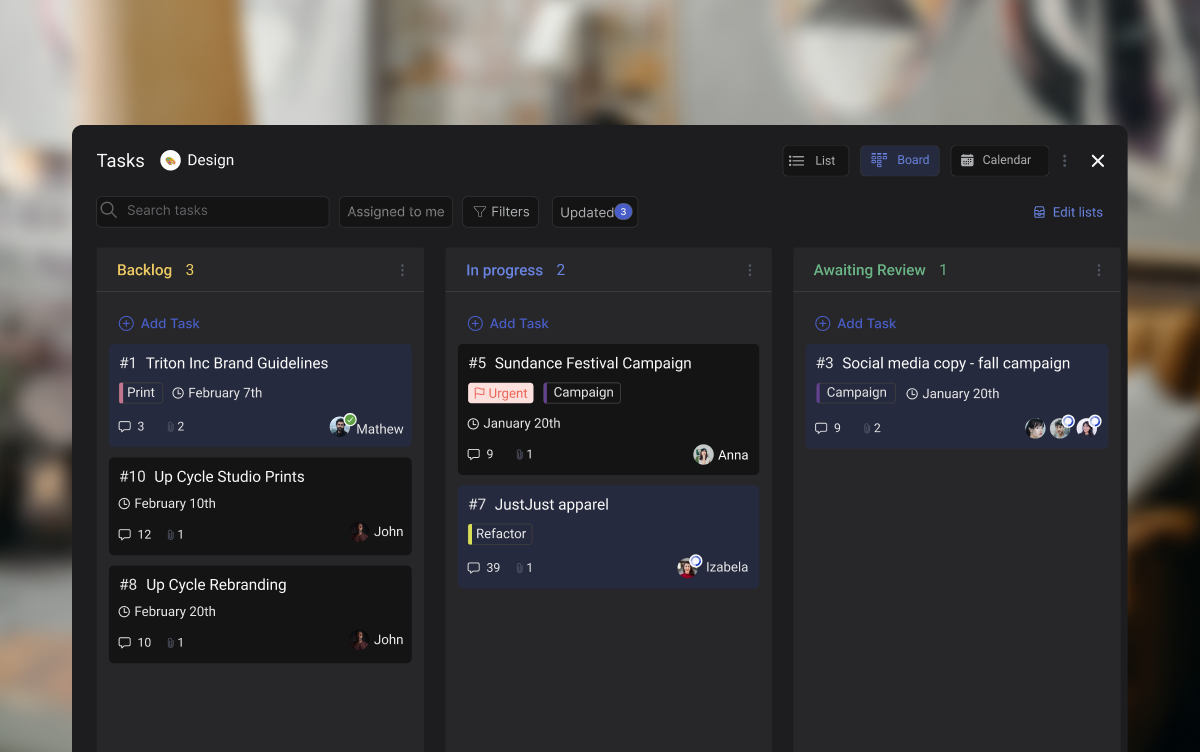
Most Asana alternatives solve tasks but ignore communication. Rock takes a different approach: every project space includes its own chat, task board, notes, and file storage. You do not need a separate messaging app.
For agencies, the client collaboration angle stands out. External clients and freelancers join spaces directly at no extra cost. They see the same chat and task updates your team sees. No guest seat fees, no permission headaches. What we do at Rock: we run our own marketing in Rock spaces where the team and external partners work side by side.
The pricing model is flat. $89 per month for unlimited users, spaces, and tasks. For a team of 15, that is under $6 per user. For 30 people, under $3. Per-seat tools like Asana get more expensive as you grow. Rock gets cheaper.
Try it: move tasks across the board
Move cards between columns to update status.
Review SEO keywords
Update pricing page
Send client proposal
Drag cards between columns or add your own
Tap a card, then tap a column
Rock also ships a native MCP server, so AI assistants like Claude, Cursor, and ChatGPT can operate your workspace directly: read messages, create tasks, move tasks, and search across spaces. It is available on the free plan, not gated behind an enterprise tier.
2. Basecamp - Best for async-first teams with client access
Paid: $15/user/mo or $299/mo flat (unlimited users)
Basecamp takes the opposite approach to feature-heavy tools. Each project gets a message board, to-do lists, a schedule, a chat room, and file storage. That is it. No custom fields, no dependencies, no automations.
That simplicity is the point for async teams. The message board format encourages longer, thoughtful updates instead of rapid-fire chat. Clients can be added to projects with limited visibility. Hill Charts give a visual sense of progress without requiring everyone to update task statuses daily.
The trade-off is real, though. There are no Kanban boards, no timeline views, and no subtask structures. If your projects involve complex dependencies, Basecamp will feel limiting fast.
Best Asana Alternatives for Visual Project Management
3. Monday.com - Best for visual workflows and automations
Standard: $12/user/mo
Pro: $20/user/mo
Monday.com is the strongest pick for teams that think visually. Color-coded boards, timeline views, and Gantt charts come standard. The automation builder is powerful: set triggers for status changes, due dates, assignments, or custom conditions without writing code.
The template library covers marketing campaigns, sprint planning, CRM pipelines, and more. Dashboards pull data from multiple boards into one view, which helps managers track progress across teams.
The downside is pricing. The $12/user/mo rate requires a minimum of three seats, and useful features like time tracking and automations are limited on lower tiers. A 20-person team pays $240/month before hitting feature caps.
4. Trello - Best for simple Kanban boards
Standard: $5/user/mo
Premium: $10/user/mo
Trello invented the digital Kanban board, and it is still the simplest way to manage tasks visually. Drag cards across columns, add checklists, attach files, set due dates. The interface is intuitive enough that new team members figure it out within minutes.
Power-Ups extend Trello's functionality with calendar views, voting, custom fields, and integrations. But the free plan limits you to one Power-Up per board, and advanced features like dashboard views require the Premium tier.
Trello works well for small teams and straightforward workflows. It starts to struggle when projects involve multiple dependencies, cross-board reporting, or client-facing deliverables.
Best Asana Alternatives for Feature-Rich PM
5. ClickUp - Best for teams that want maximum customization
Unlimited: $7/user/mo
Business: $12/user/mo
ClickUp tries to be everything: tasks, docs, whiteboards, goals, time tracking, chat, and dashboards in one platform. For teams that want to consolidate tools, it delivers. The customization depth is unmatched. Custom fields, views, automations, and statuses can be configured per space, folder, or list.
"Nearly 9 in 10 disappointed software buyers experienced implementation disruptions, most often due to integration issues, data migration errors, or project delays." - Capterra Software Buying Trends Report
That depth has a cost. The learning curve is steep. Setting up ClickUp to match your workflow takes hours, not minutes. And the interface can feel cluttered for teams that do not need every feature. It is a powerful tool, but not a simple one.
6. Wrike - Best for enterprise workflows and proofing
Team: $10/user/mo
Business: $25/user/mo
Wrike is built for structured, repeatable processes. Request forms, approval workflows, proofing tools, and Gantt charts make it a strong pick for teams that manage complex deliverables. The proofing feature lets reviewers mark up images, videos, and PDFs directly inside the platform.
Time tracking is native, and resource management views help managers balance workloads across the team. Cross-tagging lets a single task live in multiple projects, which Asana handles differently with its multi-home feature.
The trade-off: Wrike is not simple. The interface takes getting used to, and smaller teams may find it heavy for their needs.
Best Asana Alternatives for Docs and Tasks
7. Notion - Best for document-heavy workflows
Plus: $10/user/mo
Business: $18/user/mo
Notion blurs the line between project management and knowledge management. For the broader field, see our Notion alternatives guide or our head-to-head Asana vs Notion, Asana vs Basecamp, and Asana vs Jira comparisons. Its block-based editor lets you build anything: wikis, databases, task boards, meeting notes, and project trackers. The flexibility is the draw.
For teams that create a lot of documentation, Notion is hard to beat. You can link databases, create relational views, and build dashboards from your data. The free plan is generous for personal use.
The downside: Notion is not a traditional PM tool. There are no native Gantt charts, no resource management, and no built-in time tracking. Task management works, but it requires building your own system from templates or scratch.
8. Hive - Best for creative teams with design proofing
Teams: $5/user/mo
Enterprise: custom pricing
Hive combines project management with tools that creative teams actually use. Built-in proofing lets designers and clients mark up files directly. Time tracking is native. And the action card system supports multiple views: Kanban, Gantt, calendar, table, and summary.
Hive also includes a simple messaging feature and integrates with over 1,000 tools through Zapier. The interface is clean and less overwhelming than ClickUp or Wrike.
The free plan is limited to 10 workspace members, and some features like analytics dashboards are locked behind higher tiers.
Best Asana Alternatives on a Budget
9. Todoist - Best lightweight personal task manager
Pro: $4/user/mo
Business: $6/user/mo
Todoist strips task management down to the essentials: tasks, due dates, priorities, labels, and projects. The interface is clean and fast. Adding tasks feels natural with the quick-add bar and natural language date parsing.
It is not a project management tool in the traditional sense. There are no boards, no Gantt charts, no team dashboards. But for individuals and small teams that just need a reliable task list, Todoist does the job without the overhead.
"There is surely nothing quite so useless as doing with great efficiency what should not be done at all." - Peter Drucker
The Todoist philosophy fits that quote. Not every team needs a complex PM system. Sometimes a clean task list is enough.
10. SmartSuite - Best for data-driven teams
Team: $15/user/mo
Professional: $25/user/mo
SmartSuite is a newer player that combines work management with database-like flexibility. Think of it as a middle ground between Monday.com and Airtable. You get task views (grid, Kanban, calendar, timeline, card, map) plus the ability to build custom data structures with formulas, automations, and linked records.
The template library is strong, covering use cases from sales pipelines to product roadmaps. Dashboards aggregate data across solutions with charts, metrics, and pivot tables.
The trade-off: SmartSuite is not widely known yet. The integration ecosystem is smaller than Asana's or Monday's. And the pricing can add up for larger teams.
Tools We Didn't Include (and Why)
- Jira: Built for software development teams, not general project management. Overkill for most agencies and non-technical teams.
- Airtable: A database tool with project management add-ons. Powerful, but the learning curve and pricing make it a poor direct Asana replacement.
- Microsoft Project: Enterprise-grade scheduling software. Requires Microsoft 365 and is designed for program managers, not everyday team collaboration.
- Zoho Projects: Part of the Zoho ecosystem. Works best if you already use Zoho CRM, Books, and other Zoho apps. Standalone, it is underwhelming.
- GoodDay: Interesting AI-powered features, but the small user base means fewer integrations, slower updates, and limited community support.
Simpler than Asana, with chat
Rock pairs tasks with built-in team chat. One flat price, no per-seat fees.
How to Choose the Right Asana Alternative
Start with why you are leaving Asana. If it is pricing, calculate your per-user cost at your current team size and compare flat-rate options like Rock. If it is complexity, lean toward simpler tools like Trello or Todoist. If it is missing features, look at ClickUp or Wrike.
Think about who needs access. Agencies that bring clients into projects need tools built for external collaboration: Rock and Basecamp handle this well. Internal-only teams have more flexibility.
Consider your sprint planning and workflow style. Visual thinkers lean toward Monday.com and Trello. Document-heavy teams prefer Notion. Teams with formal approval processes benefit from Wrike's structured approach. For deeper dives, see our Basecamp alternatives guide, the ClickUp vs Monday or Asana vs Trello head-to-heads, or honest reviews of ClickUp and Monday.com. For deeper dives, see our Basecamp alternatives guide, the ClickUp vs Monday, Asana vs Trello, or ClickUp vs Asana head-to-heads, or honest reviews of ClickUp and Monday.com. For deeper dives, see our Basecamp alternatives guide, the ClickUp vs Monday, Asana vs Trello, ClickUp vs Asana, or Asana vs Monday head-to-heads, or honest reviews of ClickUp and Monday.com. For deeper dives, see our Basecamp alternatives guide, the ClickUp vs Monday, Asana vs Trello, ClickUp vs Asana, Asana vs Monday, or Trello vs Monday head-to-heads, or honest reviews of ClickUp and Monday.com.
The best Asana alternative is the one your team will actually use. Most of these tools offer free plans or trials. Pick two or three from this list, run a real project through each, and let the team vote. The quiz at the top of this page can narrow your starting point.
For the direct Rock comparison, see Rock vs Asana.
Ready to try a workspace where chat and tasks live together? Sign up for Rock and see if it fits your team.





